

Available soon
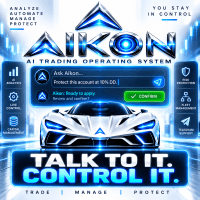
Aikon is an MT5 expert advisor that trades under rules you configure, with ready-made Forex and Gold profiles. Its Ask Aikon chat, on desktop or Telegram, helps you review settings and confirm changes.
Get one message the moment it launches, with its price.
Aikon is an expert advisor for MetaTrader 5 that opens and manages trades automatically within the settings and risk controls you choose. It also includes a chat assistant, called Ask Aikon, that lets you inspect and adjust your setup in plain language.
Once you have configured and enabled a profile, Aikon analyses the markets you selected and places or manages trades according to your rules. You do not need to approve each routine entry. The chat is a way to understand and control the system, not a requirement for it to run.
Single Entry supports rule-based or AI-assisted take profit and stop loss behaviour. You can pick your own symbols, ask for recommendations, or let Aikon choose symbols on an ongoing basis.
You can ask why a market did or did not trade, review exposure such as concentration in one currency, or prepare a settings change. Requests that change how the system operates are shown as a proposal, and they are applied only after you confirm. With web research enabled on a compatible AI provider, the assistant can also bring current information into a discussion, and you can upload supported files for context.
Private Telegram pairing lets you check your portfolio, ask about an open position, create an alert or request a pause in new trading from your phone. The requests go back to Aikon running inside MetaTrader for validation. The Telegram bot does not receive your broker credentials.
The profiles cover Forex and Gold, and other symbols can be selected if your broker offers them. Timeframe details are not listed here, so check the product page and the profile you use. Spreads, symbol names and execution differ between brokers, so test on a demo account first.
Exact values are not listed here. Review each of these before going live:
| Area | What to check |
|---|---|
| AI connection | Provider, model and API key; provider charges apply separately |
| Profile | Forex or Gold Single Entry, or optional Recovery |
| Symbols | Your own list or ongoing selection by Aikon |
| Exits | Rule-based or AI-assisted take profit and stop loss |
| Position size | Lot size and exposure limits that suit your account |
| Telegram | Optional pairing for remote checks and pause requests |
Your strategy, position sizes and exit settings determine the risk you take. Recovery can add positions, which may raise exposure. Start with one account and a setup you understand.
Trading carries risk, and you can lose some or all of your capital. Past results do not predict future ones. Test on a demo account before using real funds.
| Product type | Expert Advisor |
|---|---|
| Platform | MetaTrader 5 (MT5) only |
| Strategy focus | Gold or XAUUSD, Signals |
| Delivery | Download from your account after purchase |
| License key | Not needed |
| Status | Launching soon |
| Category | Expert advisor (automated trading) |
| Markets | Forex pairs and Gold (XAUUSD); other symbols can be chosen by you |
| Timeframes | Not stated here; check the product page and your chosen profile |
| Trade style | Single Entry with stop loss, or optional Recovery that adds positions |
| AI connection | One AI provider, one model and one API key; provider charges are separate |
| Remote control | Optional private Telegram pairing |
| Requirements | MT5 running, connected, with automated trading permitted |
No reviews yet. Customers who own Aikon MT5 can review it here.
No. This product is built for MetaTrader 5 only. It will not load in MT4, so make sure your broker account runs on MT5 before you buy.
Yes. Quick Start asks for one AI provider, one model and one API key, which Aikon uses for its AI functions and the Ask Aikon chat. Charges from the provider are separate from the price of the expert advisor. Check your provider's pricing and usage limits before enabling it.
Routine automated entries and exits follow the rules you have enabled and do not need your approval each time. When you ask Ask Aikon to change something operational, it shows the proposal and applies it only after you confirm.
Automated trading needs MetaTrader 5 to stay open and connected to your broker, with algorithmic trading allowed. Many users run the terminal on a VPS for this reason. If the terminal is closed, the expert advisor cannot trade or monitor positions.
The description does not give a minimum deposit or a broker requirement, so check the product page for current details. Test on a demo account first and confirm that your broker offers the symbols you want, such as Gold, with suitable spreads and execution.
No. Recovery is an optional approach that can add and manage extra positions under its own rules. You can use the Single Entry profiles with stop loss instead. Adding positions can increase exposure, so read the settings carefully before enabling it.
Aikon MT5
Notify me at launchQuestions about this tool?
Ask us on Telegram Install guide for MT4 and MT5 Get a custom version builtFree, practical help with testing, sizing and running expert advisors.
More MT5 tools with a similar focus.











Own Aikon MT5? Sign in to review it.