
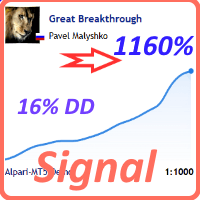

Available soon
Great Breakthrough is an MT5 expert advisor that places pending limit orders on a basket of 12 currency pairs from a single M1 chart, focusing on the evening trading period. Every trade carries a stop loss and a take profit.
Get one message the moment it launches, with its price.
Great Breakthrough is an expert advisor for MetaTrader 5 that trades a basket of forex pairs during the evening period. It looks for repeating patterns in price behavior in that window and enters with pending limit orders rather than market orders.
The system is built around the evening session. When its conditions are met, it places limit orders so that entries are made at a chosen price level rather than at whatever the market offers at that moment. Each trade is opened with a stop loss and a take profit, and positions are not intended to stay open for several days.
The take profit is floating. It can move to a level that closes the trade at a small loss when conditions change, which is a deliberate way to cut a loss short. If you see a trade close at a loss on its take profit, that is part of the design and not a fault.
The expert advisor does not use martingale, averaging or grid techniques. That does not remove risk: any trade can still hit its stop loss.
It is designed for the M1 chart. From that one chart it handles these pairs:
Make sure each of these symbols is visible in Market Watch, otherwise the expert advisor cannot trade them. Do not mix up the pair list and the chart timeframe, as incorrect combinations will stop it working properly.
The exact defaults can differ between builds, so check the inputs panel after attaching it. The main inputs are:
| Input | Purpose |
|---|---|
| Slippage analysis | Switch on to review how your broker fills orders across your account history; off by default |
| Symbols to trade | List of pairs separated by semicolons, written without a suffix |
| GMT | Time offset used for the strategy tester |
| Suffix | Broker ending such as .m or _m, if your symbols have one |
| Lot / MM | Fixed lot, or autolot using a balance amount per 0.01 lot |
| Monday and Wednesday options | Skip the Monday open, allow or block Wednesday trading, and avoid pairs with a negative triple swap |
| Magic and Comment | Identify the expert advisor's trades |
There is also a news filter with its own inputs. Read its description before enabling it. The slippage analysis can load the processor, so many users switch it on only to read the results and then turn it off. Doing so does not stop statistics from being collected.
Trading carries risk and you can lose part or all of your deposit. Past results, including strategy tester runs and published signals, do not predict future ones. Test on a demo account first and choose lot sizes you can afford.
Whenever you change inputs later, remove the expert advisor from the chart and attach it again so old stored values are not reused.
| Product type | Expert Advisor |
|---|---|
| Platform | MetaTrader 5 (expert advisor) |
| Strategy focus | Signals |
| Delivery | Download from your account after purchase |
| License key | Not needed |
| Status | Launching soon |
| Category | Expert advisor, pattern-based evening trading |
| Chart timeframe | M1 |
| Markets | 12 forex pairs, including EURUSD, GBPUSD, USDCAD, USDCHF |
| Order type | Pending limit orders |
| Money management | Fixed lot or autolot per set amount of balance |
| Position handling | No martingale, averaging or grid |
| Requirements | Pairs visible in Market Watch; one chart attached |
No reviews yet. Customers who own Great Breakthrough can review it here.
This listing is the MT5 build. A separate MT4 version exists, but the two platforms handle orders differently, so the two versions can give different results. Buy the build that matches the platform your broker account uses.
Attach it to one M1 chart. The expert advisor trades the other listed pairs from that single chart, so you do not need a chart for each pair. Using a different timeframe can make it behave incorrectly.
Enter the pair names in the symbols setting without any suffix, then type the suffix, for example .m or _m, into the separate suffix field. Also make sure every pair you want to trade is shown in Market Watch, because some brokers hide most symbols by default.
Remove the expert advisor from the chart and attach it again. It stores a fair amount of internal data, and old values may otherwise remain in use after you edit the inputs.
Strategy tester results depend on the broker's price feed, spreads, server time zone and execution model, so they vary between brokers. Test on more than one broker's data, set the GMT input correctly for the tester, and remember that past results do not predict future ones.
Great Breakthrough
Notify me at launchQuestions about this tool?
Ask us on Telegram Install guide for MT4 and MT5 Get a custom version builtFree, practical help with testing, sizing and running expert advisors.
More MT5 tools with a similar focus.











Own Great Breakthrough? Sign in to review it.