
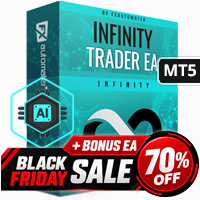

Available soon
Infinity Trader EA is an automated expert advisor for MetaTrader 5 that trades GBPUSD, NZDCAD, AUDCAD and AUDNZD, with M15 as the recommended chart. It includes spread, news and drawdown controls.
Get one message the moment it launches, with its price.
Infinity Trader EA is a fully automated expert advisor for MetaTrader 5. It opens and manages trades on a small set of forex pairs, using price-pattern analysis together with filters meant to keep it out of poor trading conditions.
The EA scans the chart for price patterns and opens positions when its entry conditions are met. Once a trade is open, it manages the exit through its own logic rather than leaving everything to you. The developer describes the system as using AI-based market analysis, but you should judge it on how it behaves in your own tests, not on that description alone.
The EA works across several symbols. It is designed to run unattended, so the terminal must stay open and connected for it to act.
The recommended pairs are GBPUSD, NZDCAD, AUDCAD and AUDNZD, and the recommended timeframe is M15. Open a separate M15 chart for each pair you want to trade and attach the EA to it. Other symbols and timeframes are not part of the intended setup.
The default settings are the suggested starting point for every supported pair. The exact input names and values can differ between releases, so open the input tab after attaching the EA and read each parameter before trading live. Check the following groups in particular:
| Group | What to check |
|---|---|
| Lot size and money management | Fixed or risk-based sizing, matched to your balance |
| Drawdown protection | Limits that pause or close trading, set to your own tolerance |
| Spread filter | Maximum spread allowed, compared with your broker's typical spreads |
| News filter | Whether it is enabled and how long it pauses trading |
| Magic number and comments | Unique values if you run several EAs on one account |
For the most realistic result, use the Strategy Tester on M15 with the every tick model. A quicker check can be run on M1 with open prices, but it is less precise. Use good quality tick data and compare the results with a demo run on your own broker.
Trading carries risk, and you can lose some or all of your capital. Backtests and live statistics describe the past, and past results do not predict future ones. Test on a demo account first and only risk money you can afford to lose.
A VPS is worth considering if you want the EA to run around the clock without interruptions.
| Product type | Expert Advisor |
|---|---|
| Platform | MetaTrader 5 (expert advisor) |
| Strategy focus | Signals |
| Delivery | Download from your account after purchase |
| License key | Not needed |
| Status | Launching soon |
| Category | Expert advisor, fully automated |
| Supported pairs | GBPUSD, NZDCAD, AUDCAD, AUDNZD |
| Recommended timeframe | M15 |
| Trade style | Price-pattern entries with multi-pair operation |
| Protection tools | Spread filter, news filter, drawdown and profit protection |
| Backtesting | M15 with every tick is the suggested method |
| Requirements | Algo trading enabled and a stable connection or VPS |
No reviews yet. Customers who own Infinity Trader EA MT5 can review it here.
No. This listing is the MetaTrader 5 build and will not run on MT4. The developer also publishes a separate MT4 edition, so check the store for that version if you use MT4.
The recommended pairs are GBPUSD, NZDCAD, AUDCAD and AUDNZD, and the recommended chart timeframe is M15. Attach the EA to a chart of each pair you want to trade. Running it on other symbols or timeframes is outside the intended setup.
The default inputs are intended as the starting point for all supported pairs. Before going live, review the lot sizing, drawdown and spread inputs and make sure they suit your account size and your broker's conditions.
Use the Strategy Tester with the M15 timeframe and the every tick model for the most realistic run. A faster check can be done with M1 and open prices, but it is less precise. Use reliable tick data from your own broker, and remember that past test results do not predict future performance.
It needs an MT5 account that allows automated trading and offers the supported pairs. Spreads, execution speed and rules on EAs vary, so test on a demo account first and read your broker's or prop firm's conditions.
Infinity Trader EA MT5
Notify me at launchQuestions about this tool?
Ask us on Telegram Install guide for MT4 and MT5 Get a custom version builtFree, practical help with testing, sizing and running expert advisors.
More MT5 tools with a similar focus.











Own Infinity Trader EA MT5? Sign in to review it.