

Available soon
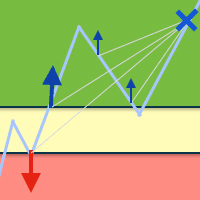
Open lock is an MT4 expert advisor that manages a losing account by locking positions, opening small averaging orders and closing the loss in parts. It can also take over from another EA once a drawdown level is reached.
Get one message the moment it launches, with its price.
Open lock is an MT4 expert advisor built for one narrow problem: an account that is already sitting in drawdown. Instead of looking for new signals, it works on the losing position by locking it, opening small averaging orders and using their profit to close the loss in stages.
The EA combines three methods. Each can be set up to suit how much risk you are willing to carry on the account.
Open lock can start immediately or wait until a drawdown level you define. In the second mode it can stop other experts in the terminal, either by closing charts of the same symbol or by closing all other charts, and then work with their orders. This is useful if you run a robot that has moved into a deep loss and want a second tool to take over.
The EA acts on open positions, so it is not tied to a particular timeframe. Which symbols you can use depends on your broker and account type. Locking needs an account that allows opposite positions on the same symbol, so check this with your broker first.
The parameters below are the main ones. Exact defaults and sensible values are not given here, so test them on a demo account and read the recommendations published by the author.
| Parameter | Purpose |
|---|---|
| Language | Language of the control panel |
| Magic Number | Identifier of the averaging orders; must differ from other EAs |
| Start work | At startup, or after a drawdown level is reached |
| Drawdown in currency | Drawdown level in deposit currency, needed for the drawdown start mode |
| Stop another advisors | Not used, close charts of the same symbol, or close all other charts |
| Action when the risk limit is reached | Nothing, lock all positions and stop, or close all positions and stop |
| Equity level in currency / percent | Threshold that triggers the risk action; 0 means not used |
| Maximal lot in average ord | Largest averaging lot; 0 means no limit |
| Maximal number average ord in one direction | Cap on averaging orders per direction; 0 means no limit |
| Maximal step | Largest step in pips between averaging orders when a dynamic step is on |
| Settings | Use the control panel or the expert inputs |
Use the expert inputs mode when you run the EA on a MetaQuotes VPS, because the panel cannot be used there.
Averaging increases the total volume held while the market moves against you. Set the maximum lot, order count and equity limits before use, and decide in advance what the EA should do if the risk limit is hit.
Trading carries risk and past results do not predict future ones. Open lock does not remove losses and may increase exposure through averaging. Test it on a demo account and only trade money you can afford to lose.
| Product type | Expert Advisor |
|---|---|
| Platform | MetaTrader 4 |
| Strategy focus | General |
| Delivery | Download from your account after purchase |
| License key | Not needed |
| Status | Launching soon |
| Category | Expert advisor (drawdown management utility) |
| Trade style | Locking, averaging orders and partial closing |
| Markets | Works on the symbols of the positions it manages; check with your broker |
| Timeframes | Not tied to a specific timeframe |
| Interaction | Can stop other EAs once a drawdown level is reached |
| Configuration | Control panel or expert inputs |
| Requirements | Algo trading enabled; hedging-capable account for locking |
No reviews yet. Customers who own Open lock can review it here.
Its main job is to manage positions that are already in drawdown, not to find new entries. It can start at once or wait for a drawdown level you set. Check the behaviour on a demo account before using it live, as the tester run opens a deal of its own.
Yes. With the 'By drawdown level' start mode, it can stop other experts when the drawdown is reached and then handle their orders. Give it a magic number that differs from the magic numbers of every other EA on the account.
This listing is for MetaTrader 4. An MT5 version is a separate product and will not run on MT4, so choose the build that matches your terminal.
Yes. If your VPS does not let you use the on-chart control panel, switch the settings mode to expert inputs and enter every parameter there. Confirm the setup on the VPS before leaving it unattended.
No. Averaging and locking change how a loss is handled but do not remove it, and averaging adds exposure. Trading carries risk and past results do not predict future ones. Set the lot, order count and equity limits with care.
Unpack the download, copy the EA file into the MQL4/Experts folder through File, Open Data Folder, then restart MT4 or refresh the Navigator. Drag it onto a chart and allow algo trading.
Open lock
Notify me at launchQuestions about this tool?
Ask us on Telegram Install guide for MT4 and MT5 Get a custom version builtFree, practical help with testing, sizing and running expert advisors.
More MT4 tools with a similar focus.











Own Open lock? Sign in to review it.