

Available soon
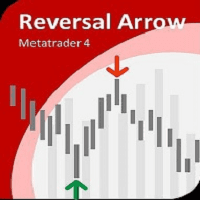
Reversal Arrow is a MetaTrader 4 expert advisor that counts how many recent candles broke above earlier highs or below earlier lows, then draws buy or sell arrows to flag possible reversals. It includes order and risk controls.
Get one message the moment it launches, with its price.
Reversal Arrow is an expert advisor for MetaTrader 4 that looks for possible turning points in price. It compares how often recent candles have pushed beyond earlier highs with how often they have pushed below earlier lows, and marks the result with an arrow on the chart.
When a new bar opens, the EA looks back over a number of candles that you choose. It counts how many of those candles made a higher high than the candle before, and how many made a lower low. The two counts are then compared as a ratio.
You can decide whether the comparison uses the full High and Low of each candle, including wicks, or only Open and Close prices. Using only Open and Close ignores wick spikes and usually gives a calmer reading.
The input list also covers lot size, a magic number, stop loss, take profit, breakeven and trailing stop, so the EA is designed to place and manage orders as well as show signals. Check on a demo account exactly how it behaves with your settings before using real money.
The EA works on the timeframe of the chart it is attached to, so the same inputs will behave differently on M15 and H4. It is not tied to a particular symbol. Forex pairs, metals and indices are all possible, but you should test each one yourself, because spreads, volatility and session behaviour differ.
The main inputs are listed below. Default values depend on the file you load, so check them in the inputs tab rather than assuming a number.
| Input | Purpose |
|---|---|
| Inp_Lot | Initial lot size |
| Inp_MagicNum | Magic number used to identify the EA's orders |
| Inp_EaComment | Comment text attached to orders |
| Inp_MaxSpread | Largest spread at which the EA may act |
| Inp_Slippage | Largest accepted slippage |
| Inp_StopLoss / Inp_TakeProfit | Stop loss and take profit in pips; -1 turns the level off |
| Inp_BreakevenStop / Step | Breakeven level and step; -1 turns it off |
| Inp_TrailingStop / Step | Trailing stop level and step; -1 turns it off |
| Inp_MaxMoneyLoss | Closes all orders when the set account loss is reached; -1 turns it off |
| Inp_PauseMinutes | Pause setting between actions |
| Inp_Period | Number of candles analysed |
| Inp_BarsCount | Number of candles that must exceed the high or low |
| Inp_Shadow | Use High/Low or only Open/Close prices |
A reversal signal is an estimate, not a certainty. Strong trends can keep going after an arrow appears, and a signal can be followed by a series of losing trades. Use a lot size that fits your account, and consider setting a stop loss and the account loss limit.
Trading carries risk, and you can lose some or all of your capital. Past results, including any seen in testing, do not predict future ones. Test on a demo account first.
| Product type | Expert Advisor |
|---|---|
| Platform | MetaTrader 4 |
| Strategy focus | Signals |
| Delivery | Download from your account after purchase |
| License key | Not needed |
| Status | Launching soon |
| Category | Expert advisor |
| Strategy type | Reversal signals based on candle high and low counts |
| Markets | Not restricted; test on your own symbols first |
| Timeframes | Uses the timeframe of the chart it is attached to |
| Order controls | Lot, magic number, spread, slippage, SL, TP, breakeven, trailing |
| Requirements | MT4 terminal with automated trading enabled |
No reviews yet. Customers who own Reversal Arrow MT4 EA can review it here.
No. This product is built for MetaTrader 4 and will not load in MetaTrader 5. If you use MT5, look for a version made for that platform.
Any MT4 broker should be able to run it. Check that your account allows automated trading, and look at the typical spread on your symbol, because the EA has a maximum spread filter that can block entries when spreads are wide.
There is no single correct set. The analysis period, the required number of breaking candles and the stop loss and take profit values all change behaviour. Start on a demo account with a small lot, change one input at a time and review the results before considering a live account.
The arrows are the signal the EA is built around, so you can watch them on the chart as an additional tool. If you do not want automatic orders, keep it on a demo chart or switch off automated trading in the terminal and check the behaviour first.
Copy the expert advisor file into the MQL4/Experts folder through File, Open Data Folder in MT4. Restart the terminal or refresh the Navigator, then drag the EA onto a chart and allow automated trading.
Reversal Arrow MT4 EA
Notify me at launchQuestions about this tool?
Ask us on Telegram Install guide for MT4 and MT5 Get a custom version builtFree, practical help with testing, sizing and running expert advisors.
More MT4 tools with a similar focus.











Own Reversal Arrow MT4 EA? Sign in to review it.