
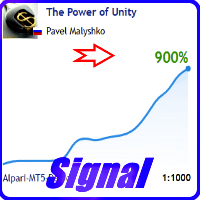

Available soon
The Power of Unity is an MT5 expert advisor that trades 14 forex pairs on the M5 timeframe from a single chart. It looks for recurring price behaviour in the evening session and uses a floating take profit.
Get one message the moment it launches, with its price.
The Power of Unity is an expert advisor for MetaTrader 5 that trades a basket of 14 forex pairs on the M5 timeframe. It works in the evening trading period, where it looks for repeating patterns in price behaviour, and it manages open trades with a floating take profit rather than a single fixed target.
The system is built around a specific time window in the evening. Within that window it looks for price patterns that have tended to repeat on the supported pairs and opens trades when its conditions are met. It is a multi-pair design: you attach it to one chart, and it trades all the pairs listed in its symbols setting.
Instead of a fixed profit target, the expert advisor uses a take profit level that moves. It can sit above or below break-even, which allows the system to close a trade at a smaller loss in some situations instead of waiting for a recovery. This is a way of managing exposure, not a way of removing losses.
The expert advisor is intended for the M5 timeframe. The supported pairs are:
All of these symbols must be visible in Market Watch, because not every pair is shown there by default.
The inputs below are described in general terms. Check the default values in the input window of your own copy, as they depend on your account and broker.
| Setting | Purpose |
|---|---|
| Slippage display | Shows how your broker fills and closes orders across the account history. Off by default to reduce load. |
| Symbols to trade | Semicolon-separated list of pairs, written without any suffix. |
| Suffix | Broker ending such as .m or _m, entered separately. |
| GMT / winter time | Time offset handling, mainly relevant for the strategy tester. |
| Lot | Fixed lot size, used when automatic lot sizing is off. |
| MM and deposit amount per 0.01 lot | Automatic lot sizing. With 1000 entered, a 5000 deposit gives 0.05 lot. |
| Monday opening | Option to skip trading around the Monday market open. |
| Wednesday trading | Allows or blocks trading on the triple-swap day. |
| Skip negative-swap pairs on Wednesday | Excludes pairs with a negative triple swap on that day. |
| Magic and comment | Identifier and label for the expert advisor's trades. |
| News filter | Separate group of inputs to pause trading around news events. |
Trading several pairs at once means several positions can be open together, so check your total exposure and the lot settings against your deposit. Leverage, spreads, swaps and execution quality all vary by broker.
Trading carries risk, and you can lose some or all of your deposit. Past results, including any signal history or tester run, do not predict future ones. Test on a demo account first.
Whenever you change the settings, remove the expert advisor from the chart and attach it again so that no old data is reused.
| Product type | Expert Advisor |
|---|---|
| Platform | MetaTrader 5 |
| Strategy focus | Signals |
| Delivery | Download from your account after purchase |
| License key | Not needed |
| Status | Launching soon |
| Category | Expert advisor |
| Markets | 14 forex pairs, mostly crosses and majors |
| Timeframe | M5 |
| Trade style | Evening-session pattern trading, multi-pair from one chart |
| Position sizing | Fixed lot or automatic lot by deposit |
| Extras | Slippage analysis, news filter, weekday and swap filters |
| Requirements | Symbols visible in Market Watch, algo trading enabled |
No reviews yet. Customers who own The Power of Unity can review it here.
The expert advisor is designed for the M5 timeframe. It trades a list of 14 forex pairs: AUDCAD, AUDCHF, AUDNZD, EURCHF, EURUSD, GBPCHF, GBPUSD, NZDCHF, NZDUSD, USDCAD, USDCHF, AUDUSD, CADCHF and EURGBP. You attach it to one chart and it handles the other pairs from the list.
Type the pair names in the symbols list without any suffix, then enter the suffix (for example .m or _m) in the separate suffix field. Make sure every pair in the list is shown in Market Watch, because pairs that are hidden there cannot be traded.
An MT4 version exists as a separate product. The two platforms differ in how orders are handled, so the inputs and the results will not match exactly. This page covers the MT5 version only.
Remove the expert advisor from the chart and attach it again. The program stores a fair amount of working data, and an old state could otherwise carry over into the new configuration.
No. Tester results depend on the broker's data, spreads and execution, so they will differ between brokers. It is sensible to test with more than one broker and on a demo account before using real money.
It can add processor load, so it is off by default. Turn it on when you want to review how your broker fills and closes orders, then turn it off again. Switching it off does not stop statistics from being collected.
The Power of Unity
Notify me at launchQuestions about this tool?
Ask us on Telegram Install guide for MT4 and MT5 Get a custom version builtFree, practical help with testing, sizing and running expert advisors.
More MT5 tools with a similar focus.











Own The Power of Unity? Sign in to review it.