


Available soon
Breakout expert advisors and indicators for MT4 and MT5: range and session breakouts, false breaks, and how to test a breakout strategy properly.
Expert advisors and indicators tagged for breakout in our catalog.




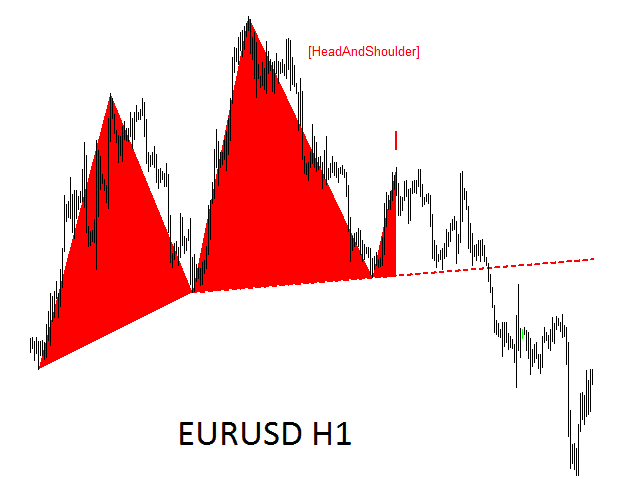


A breakout strategy trades in the direction price leaves a range, on the idea that a market breaking out of a quiet spell is starting a move. It offers a clear level and a clear stop, but many breakouts fail, and the ones that work often fill at worse prices than the chart suggests.
Breakout EAs mostly fall into three groups:
Breakout indicators draw these ranges and levels or alert you when price closes beyond one. Signals that appear before a bar closes can change, so check them with our repainting guide.
Breakouts need a quiet period followed by a burst of activity, so they suit the hand-over between sessions. The Asian range followed by the London open is the classic case on EURUSD, GBPUSD and gold. The New York open and stock index cash opens produce similar bursts. Session times follow broker server time, so an EA set for one server's clock can measure the wrong range on another. The forex market hours tool shows each session in your time zone.
A false breakout pokes beyond a level, triggers the orders waiting there and falls back into the range. It is this style's main source of losses. Common filters trade fewer, better-confirmed breaks:
Every filter also removes some good breakouts, so test each one separately.
A buy stop or sell stop sits on the broker's server and fills as soon as price reaches it. It catches fast moves early but also fills on every false spike, and because a buy stop triggers on the ask while MetaTrader charts show the bid, a widening spread can fill it before the chart line gets there. A market entry after a bar closes beyond the level confirms the break but enters later, with a wider stop.
Stop orders fill at the next available price, which around news can be several pips past your level. Take a 30-pip Asian range on EURUSD from 1.0820 to 1.0850, a buy stop at 1.0852 and a stop loss at the middle of the range, 1.0835. That is a 17-pip stop, so risking $100 means 0.58 lots, and a full stop costs $98.60. If a data release fills the order 3 pips higher at 1.0855, the stop is 20 pips away and a stopped trade loses $116, while a 30-pip target from the planned entry is now only 27 pips away.
Breakout results depend on precise fills at precise times, so test on real ticks in MT5 with your own broker's data and server time zone. Then:
For the full checklist, read how to evaluate an expert advisor.
A move that pushes beyond a range or level, triggers the orders waiting there and then falls back inside. False breakouts are the main source of losses for breakout strategies, which is why many EAs wait for a close beyond the level, add a buffer or filter ranges by size.
Pending stop orders fill quickly and need no action from your terminal, but they fill on every spike, including false ones, and can slip in fast markets. Entering at market after a bar closes beyond the level confirms the break but gives a later, worse entry. If the EA offers both, test both.
A session strategy that marks the high and low of the quieter Asian hours and places orders above and below that range to catch the move when London opens. The range depends on the session times you set, and those are read in your broker's server time.
A stop order becomes a market order when it triggers and fills at the next available price. Around news releases and session opens, price can jump several pips between ticks, so the fill lands beyond your level. Some EAs remove pending orders before major releases for this reason.
No. They suit markets that tend to move strongly after quiet periods, such as gold and the major pairs around the London open. Symbols that spend most of their time in ranges produce more false breaks. Test each symbol separately.
Educational information only, not financial advice. Trading forex and CFDs on margin carries a high risk of losing money. Read our risk warning.