

Available soon
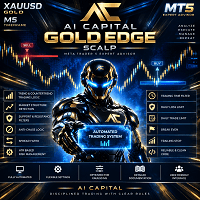
An MT5 expert advisor that scalps gold (XAUUSD) on the M5 chart. It combines trend, market structure and support and resistance checks with risk-based lot sizing and built-in trade management.
Get one message the moment it launches, with its price.
AI Capital Gold Edge Scalp is an expert advisor for MetaTrader 5 that trades gold against the US dollar on short timeframes. It waits for several conditions to line up before it considers an entry, then manages the open position with its own stop, target and exit rules.
The EA reads the direction of the market with fast and slow moving averages, then compares that with recent price structure. It looks at candle rejection, small structure breaks and recent highs or lows that failed to hold. Depending on what it finds, it can take a trend setup or a defined countertrend setup.
The stop loss is derived from ATR together with recent swing levels. The take profit uses ATR and a minimum risk to reward setting. Once a trade is open, the EA can move to break-even, trail the stop, or close on a structure-based exit.
The EA is designed around XAUUSD, and M5 is the recommended timeframe. It is not intended as a multi-symbol system, so treat other instruments as untested unless you have verified them yourself.
The inputs cover risk, position size, session hours, entry filters and trade management. The table lists the main groups. Exact defaults and ranges are shown in the inputs tab when you attach the EA, so check them there.
| Group | What to check |
|---|---|
| Risk per trade | Percentage of the account risked on each trade; the suggested starting point is 0.50 percent |
| Fixed lot | Optional alternative to percentage risk |
| Trading hours | Session window, in your broker's server time |
| Spread and ATR filters | Limits that suit your broker's gold quotes |
| Daily loss and trade limits | Caps on losses and number of trades per day |
| Cooldown | Pause between entries |
| Break-even and trailing | How and when open trades are protected |
The EA does not use martingale or grid methods, and the daily limits help cap exposure, but no filter removes losing trades. Gold can move fast, spreads can widen around news, and minimum stop distances and freeze levels vary between brokers.
Trading carries risk, and past results do not predict future ones. Test on a demo account and in the Strategy Tester first, and only risk money you can afford to lose.
Before going live, run the EA in the Strategy Tester and on a demo account with your own broker, so you can see how it handles your spreads, execution and symbol specifications.
| Product type | Expert Advisor |
|---|---|
| Platform | MetaTrader 5 (expert advisor) |
| Strategy focus | Gold or XAUUSD, Scalping, Trend, Support and resistance |
| Delivery | Download from your account after purchase |
| License key | Not needed |
| Status | Launching soon |
| Category | Automated trading, expert advisor |
| Main market | XAUUSD (gold against the US dollar) |
| Recommended timeframe | M5 |
| Trade style | Scalping with trend and defined countertrend setups |
| Position sizing | Percentage risk per trade or fixed lot |
| Position building | No martingale, no grid |
| Requirements | Algo trading enabled; broker offering gold on MT5 |
No reviews yet. Customers who own AI Capital Gold Edge Scalp can review it here.
No. It is built for MetaTrader 5 and will not load in MT4. If your broker only offers MT4, you would need a different product.
The recommended setup is XAUUSD on the M5 chart. Brokers name gold differently, for example with a suffix, so confirm the exact symbol name in your Market Watch and check that the EA accepts it.
In MT5 choose File, then Open Data Folder, and copy the downloaded file into MQL5/Experts. Restart the terminal or refresh the Navigator, drag the EA onto an XAUUSD M5 chart, and make sure Algo Trading is switched on.
Yes. Run it in the MT5 Strategy Tester and on a demo account with your own broker and settings first. Spreads, execution and stop-level rules differ between brokers, so behaviour can differ too.
No. Each trade is sized on its own, either from a percentage of the account or from a fixed lot, and the EA does not add to losing positions.
No fixed figure is given here. It depends on your broker's contract size, leverage and the risk percentage you choose, so check the margin the EA calculates on a demo account before going live.
AI Capital Gold Edge Scalp
Notify me at launchQuestions about this tool?
Ask us on Telegram Install guide for MT4 and MT5 Get a custom version builtFree, practical help with testing, sizing and running expert advisors.
More MT5 tools with a similar focus.











Own AI Capital Gold Edge Scalp? Sign in to review it.