


Available soon
BlueSwift Grid Rescue is an MT5 utility expert advisor that watches grid, averaging and martingale series opened by other EAs and closes groups of their orders under rules you set, to help keep drawdown manageable.
Get one message the moment it launches, with its price.
BlueSwift Grid Rescue is a utility expert advisor for MetaTrader 5. It does not look for entries itself. Instead it monitors order series created by other grid, averaging or martingale EAs and closes selected groups of those orders when your chosen conditions are met.
Grid systems add orders as price moves against the first position, so a long series can build up a large floating loss. BlueSwift Grid Rescue follows each series on your terminal and combines the most recent orders with one or more earlier ones to form clusters. When a cluster reaches the condition you define, such as a drawdown level or a break-even style threshold, the tool closes it. The aim is to shrink the open exposure and keep drawdown at a level you can tolerate, rather than waiting for the whole series to recover.
There are five rescue modes. They can be used one at a time or combined, so you can match them to the logic of the grid EA you are tracking and to your own risk tolerance. Rescue can be configured to act early in a series rather than only after a deep drawdown.
Grid and martingale systems are often hurt by high-impact news. The built-in news filter lets you set closing conditions around those events, so running grids can be reduced or closed beforehand if you choose.
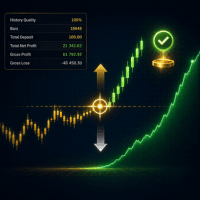
A simple on-chart dashboard shows the order series being tracked and the status of the news filter, giving you visual feedback on what the tool is doing.
The tool is not tied to a single symbol or timeframe. It works with whatever the tracked EA trades, including forex pairs, gold (XAUUSD) and indices. One chart can manage several grid EAs running on different symbols.
Many inputs use comma-separated text rather than long dropdown lists, which keeps the input window compact. Exact values depend on your grid EA, symbol, account size and broker, so review each one before going live.
| Area | What to check |
|---|---|
| Tracked EAs | Which magic numbers or symbols should be managed |
| Rescue modes | Which of the five modes to enable and how they interact |
| Trigger conditions | Drawdown or break-even style thresholds for closing clusters |
| News filter | Event impact level and the time window before and after news |
Check that your grid EA resets its next lot size after some orders in a series have been closed. If it does not, the next order could grow very large. Forward-test the combination on a demo account for a couple of months before using real funds.
Trading carries risk, and grid and martingale methods can lead to margin calls even with a rescue tool in place. Past results do not predict future ones. Only trade with money you can afford to lose.
| Product type | Expert Advisor |
|---|---|
| Platform | MetaTrader 5 (hedging or netting account type should be checked with your grid EA) |
| Strategy focus | Gold or XAUUSD, Scalping, Trend, Grid |
| Delivery | Download from your account after purchase |
| License key | Not needed |
| Status | Launching soon |
| Category | Expert advisor, used as a risk management utility |
| Strategy tags | Gold (XAUUSD), scalping, trend, grid |
| Markets | Forex, gold, indices and other symbols traded by the tracked EA |
| Timeframes | Not tied to one timeframe; follows the orders of the tracked EA |
| Trade style | Closes clusters of grid orders under user-defined conditions |
| Key modules | Five rescue modes, news filter, dashboard |
| Requirements | A separate grid EA producing the order series, plus a demo test period |
No reviews yet. Customers who own BlueSwift Grid Rescue MT5 can review it here.
It is designed as a utility that manages order series opened by other expert advisors on the same terminal. Its job is to pair and close orders from those series according to your rules, not to supply entry signals. Check the settings to confirm how it behaves with your setup before using a live account.
It is intended for a wide range of grid, averaging and martingale systems on forex, gold and indices. It may not suit grid EAs that fail to reset their next lot size after part of a series has been closed, because the next order could become very large. Test your specific EA together with this utility on a demo account first, ideally for a couple of months.
Yes. The tool is built so a single chart can track order series from several grid EAs running on different symbols, which saves you from attaching it to every chart.
No. It can help reduce or delay drawdown, but grid and martingale trading always carries risk. Outcomes depend on the tracked EA, available margin, broker conditions, slippage and sudden market events. Past results do not predict future ones.
Copy the expert advisor file into the MQL5/Experts folder via File > Open Data Folder in MetaTrader 5, restart the terminal or refresh the Navigator, then drag it onto a chart. Enable algorithmic trading in the terminal options and on the chart.
Many inputs accept comma-separated text values rather than long lists of dropdowns, so the input panel is shorter than on many EAs. You should still review each value against your grid EA and broker conditions, and check the product page for any set files or setup guidance.
BlueSwift Grid Rescue MT5
Notify me at launchQuestions about this tool?
Ask us on Telegram Install guide for MT4 and MT5 Get a custom version builtFree, practical help with testing, sizing and running expert advisors.
More MT5 tools with a similar focus.










Own BlueSwift Grid Rescue MT5? Sign in to review it.