
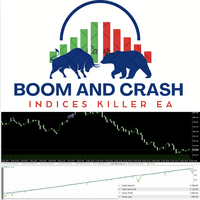

Available soon
An MT5 expert advisor for Boom, Crash and Range Break indices that uses price action and a short list of inputs: lot size, risk mode, magic number and asset. It loads preset parameters for each supported index.
Get one message the moment it launches, with its price.
Boom and Crash Indices Killer EA is an expert advisor for MetaTrader 5 that trades the Boom, Crash and Range Break synthetic indices. It relies on price action instead of lagging indicators and asks for only a handful of inputs, so setup is short.
The EA reads price movement on the chart and decides when to enter and exit based on its price action rules. Price action approaches usually look at how price reacts around swing highs, swing lows and other support and resistance areas. The exact entry and exit rules are not published in detail, so the best way to understand its behaviour is to watch it in the strategy tester and on a demo account.
When you pick an asset from the drop-down list, the EA loads a set of parameters prepared for that index. This saves you from tuning every value by hand, although you should still confirm the results on your own broker's data.
The logic is price based and is intended to work on more than one timeframe, not only M1. Results can differ a lot between timeframes and between brokers' tick data, so test the timeframe you plan to use rather than assuming it behaves like another.
| Input | Purpose |
|---|---|
| Lot size | Trade volume. Check your broker's minimum, maximum and step for each symbol. |
| Risk mode | High, Average or Low. Choose according to your account size and tolerance for drawdown. |
| Magic number | Identifies trades opened by this EA. Use a different number for each chart or instance. |
| Asset | Selects the index and loads its preset parameters. |
Default values and the exact effect of each risk mode are not listed here, so read the inputs tab and any included guide before trading.
Boom and Crash indices are volatile and can move sharply against a position. Position size matters a great deal on these symbols. Begin with small volume, use the Low risk mode while you learn, and check margin requirements with your broker.
Trading carries risk and you can lose some or all of your capital. Backtests and past results do not predict future results. Test on a demo account before using real money.
If the EA does not trade, check that your broker offers the symbol, that algo trading is switched on in the terminal, and that the Experts tab of the Toolbox shows no error messages.
| Product type | Expert Advisor |
|---|---|
| Platform | MetaTrader 5 (MT5) |
| Strategy focus | Support and resistance |
| Delivery | Download from your account after purchase |
| License key | Not needed |
| Status | Launching soon |
| Category | Expert advisor (automated trading) |
| Markets | Boom 1000, Boom 500, Boom 300, Crash 1000, Crash 500, Crash 300, Range Break 100 |
| Timeframes | Several; test your chosen timeframe before live use |
| Trade style | Price action entries and exits, support and resistance style |
| Inputs | Lot size, risk mode, magic number, asset selector |
| Requirements | MT5 account with Boom/Crash symbols; algo trading enabled |
No reviews yet. Customers who own Boom and Crash Indices Killer EA can review it here.
No. This is an MT5 expert advisor and will not load in MetaTrader 4. You need an MT5 terminal and a broker account that offers the Boom and Crash symbols.
Any MT5 broker that lists the Boom, Crash or Range Break indices should work in principle. Symbol names and contract sizes can differ between brokers, so check that your symbol appears in the asset selector and test on a demo account first.
The asset selector is meant to load preset parameters for each supported index, so there is little to configure. You still choose the lot size and risk mode. Run the strategy tester on your own broker's data to confirm that behaviour suits you.
Extract the download, copy the EA file into the MQL5/Experts folder via File, Open Data Folder in MT5, then restart the terminal or refresh the Navigator. Drag the EA onto a chart of a supported index and enable algo trading.
There is no single right answer because it depends on your balance and tolerance for drawdown. Start with the smallest lot size and the Low risk mode on a demo account, and check the minimum lot and margin rules of your broker.
No tool can promise that. Trading synthetic indices carries a high level of risk and past results, including backtests, do not predict future ones. Only trade with money you can afford to lose.
Boom and Crash Indices Killer EA
Notify me at launchQuestions about this tool?
Ask us on Telegram Install guide for MT4 and MT5 Get a custom version builtFree, practical help with testing, sizing and running expert advisors.
More MT5 tools with a similar focus.










Own Boom and Crash Indices Killer EA? Sign in to review it.