

Available soon
Support and resistance indicators and expert advisors for MetaTrader: how levels are drawn, zones versus lines, and how to use them without hindsight.
Expert advisors and indicators tagged for support and resistance in our catalog.



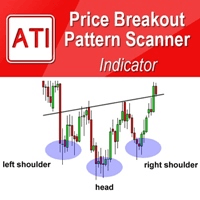
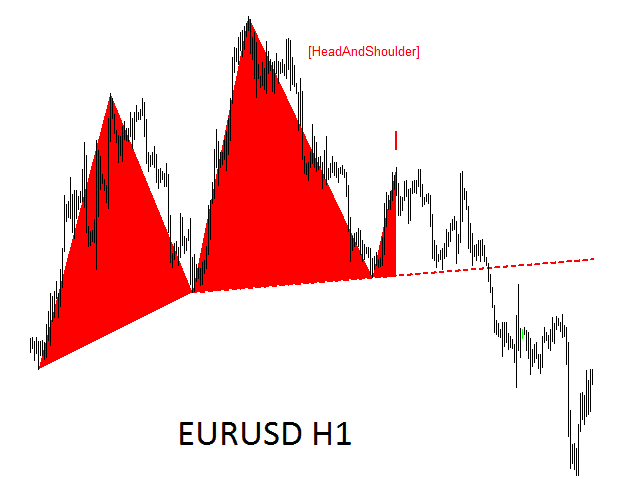

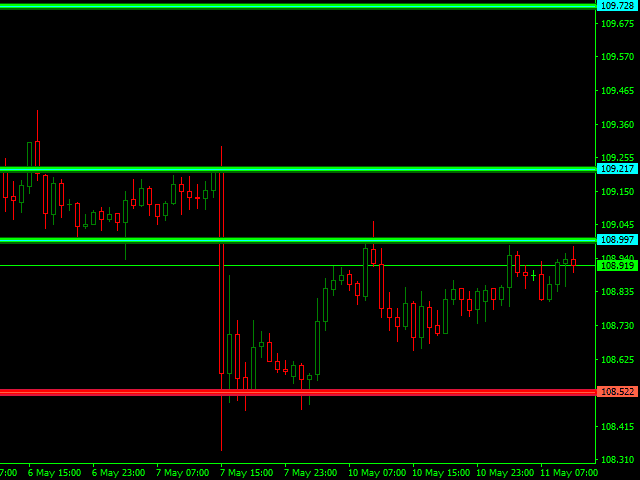



Support and resistance are price areas where buying or selling has stopped a move before, and where traders expect it might again. They are the most widely used idea in technical analysis, and one of the easiest to fool yourself with, because almost any finished chart looks full of perfect levels.
Most methods start from prices where the market turned, paused or traded heavily:
| Source | How it's drawn | Does it change later? |
|---|---|---|
| Swing highs and lows | The peak or trough of a turn that price moved clearly away from. | Fixed once confirmed, but the latest swing can still move. |
| Round numbers | Prices such as 1.1000 on EURUSD, or $50 and $100 steps on gold. | No. |
| Pivot points | Calculated from the previous period's high, low and close. | Fixed for the period they cover. |
| Previous day and week ranges | The last completed day's or week's high and low. | Fixed, but they depend on your broker's server time. |
| Supply and demand or volume zones | Areas price left quickly, or where most activity took place. | Depends on the method. Many redraw. |
For example, a previous day with a high of 1.1080, a low of 1.0980 and a close of 1.1050 gives a classic pivot of 1.1037, a first resistance (R1) of 1.1093 and a first support (S1) of 1.0993. The pivot point calculator works these out for five methods. In forex, volume means tick volume, the number of price changes in a bar, so zones built from it are estimates.
Price rarely turns at one exact price. Broker feeds differ by a pip or two, spreads change and traders draw the same level in slightly different places.
Suppose EURUSD bounced from 1.0952, 1.0960 and 1.0948. A line at 1.0950 invites two mistakes: reading a dip to 1.0946 as a break, and putting a stop just under the line, where everyone else's stops sit. A zone from 1.0945 to 1.0960 describes what actually happened. A common rule is to call the level broken only when a bar closes beyond the zone, not when a wick pokes through it.
On a finished chart the levels seem obvious, partly through hindsight. You notice the lines price respected and forget the ones it sliced through, and with enough lines drawn, price is bound to touch some of them. A fair review asks whether a level was visible before price reached it, and what happened every time price got there.
Indicators that draw levels automatically can add repainting. Many build levels from ZigZag or fractal swings, whose latest point moves until later bars confirm it, and some delete a level once it breaks, so the history shows only the levels that held. Screenshot the indicator on a demo chart and compare the same bars hours later and after a refresh. Our guide to repainting indicators explains these tests.
A level shows where a trade idea is wrong, so the stop goes beyond the zone, with room for the spread, and the position size follows from that distance.
Take a buy at 1.0965 from the zone above, with the stop 10 pips under the zone at 1.0935: a 30-pip stop. Risking 1% of a $10,000 account is $100. At $10 per pip per standard lot, 30 pips costs $300 per lot, so the size is $100 ÷ $300 = 0.33 lots. With the next resistance zone at 1.1035, the target is 70 pips away, a reward to risk of about 2.3.
On gold, a stop $6 from entry is 60 moves of 10 cents, worth $600 per lot, so the same $100 allows about 0.16 lots. A wider zone means a smaller position, not a bigger loss. The position size calculator and risk reward calculator do the arithmetic for any symbol.
An EA can't eyeball a chart, so each level must come from a rule, such as the previous day's high, the last confirmed swing on H4, a pivot or a round number. EAs use levels in four main ways:
If an EA reads its levels from an indicator, it should act on closed bars and confirmed swings only. If you trade your own levels by hand, our custom development service can build an EA to those rules.
Treat it as a zone. Price often turns a few pips either side of a level because broker feeds, spreads and the way traders draw lines all differ. A zone that covers the recent turning points, with the stop beyond it, matches how price really behaves.
Levels from daily and weekly charts are watched by more traders and took longer to form, so they tend to matter more than levels from M5 or M15. No timeframe makes a reaction certain, so test levels on the timeframe your strategy trades.
Some do. Indicators built from ZigZag or fractal swing points can move their latest level until later bars confirm it, and some remove levels once they break. Levels from completed periods, such as daily pivots and the previous day's high and low, don't change after the period has closed.
It often does, because traders who bought at the level may sell to get out near breakeven when price comes back to it. It isn't a rule, though. Treat a flipped level as a place to watch, and still put the stop beyond the zone.
Yes, as long as its levels come from fixed rules, such as the previous day's high and low, pivot points or confirmed swing points. It should act only on closed bars and confirmed levels, so that its backtest reflects what it would have seen in real time.
Educational information only, not financial advice. Trading forex and CFDs on margin carries a high risk of losing money. Read our risk warning.