

Available soon
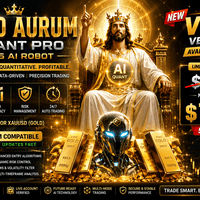
Gold Aurum Quant Pro is an MT5 expert advisor built for XAUUSD. It combines order block, trend and scalping logic with session and news filters, ATR-based exits and an optional external AI signal check.
Get one message the moment it launches, with its price.
Gold Aurum Quant Pro is an expert advisor for MetaTrader 5 that trades gold (XAUUSD). It builds entries from price structure, impulse detection and optional indicator filters, and it can also ask an external AI service for a second opinion before it opens a trade.
The core logic looks for institutional-style structure on the chart: order blocks, liquidity sweeps and breaks of structure. An impulse engine measures moves using an ATR multiplier and a minimum point distance, so small noise is ignored. When no order block is available, the EA can fall back to a trend-only or breakout mode.
Position size can be a fixed lot or a percentage of the account, with a cap. Exits can be fixed or ATR-based, with break-even and trailing stop options. A stealth mode keeps stop loss and take profit levels inside the EA instead of sending them to the broker, which means they only work while the terminal is running and connected. Daily limits stop trading once a profit target, a loss limit or a trade count is reached. An optional recovery sequence raises lot size after losses; it adds real risk and is best left off until you have tested it.
The EA is designed for XAUUSD only. The suggested chart timeframe is H1, and the London session is the recommended trading window. Session filters use server time, so check your broker's time offset. Weekday toggles let you skip specific days, and an economic calendar filter can pause trading around news of chosen impact levels.
Exact defaults can change between releases, so read the values in the inputs tab before you run it.
| Group | What to check |
|---|---|
| Lot method | Fixed lot or percentage risk, and the maximum cap |
| Exits | ATR multipliers, break-even trigger, trailing start and step |
| Sessions and days | New York, London and Asia windows in server time; weekday toggles |
| News filter | Impact levels, minutes before and after, USD-only option |
| Daily limits | Profit target, loss limit, maximum trades |
| AI connection | Provider, model, API key, confidence threshold, second provider |
| Recovery | On or off, multiplier sequence, maximum levels |
Two panels show live information. The first covers balance, equity, daily profit and loss, trade counts and which modules are active. The second shows the AI connection state, the latest signal and confidence, news filter status, hidden exit tracking and daily limit status.
Trading leveraged products such as gold carries a high level of risk, and you can lose more than you expect. Back-tests and past results do not predict future ones. Test on a demo account and risk only money you can afford to lose.
| Product type | Expert Advisor |
|---|---|
| Platform | MetaTrader 5 (expert advisor) |
| Strategy focus | Gold or XAUUSD, Scalping, Trend, Momentum |
| Delivery | Download from your account after purchase |
| License key | Not needed |
| Status | Launching soon |
| Category | Automated trading, expert advisor |
| Market | Gold (XAUUSD) |
| Suggested timeframe | H1, set in the EA inputs |
| Trade style | Scalping, trend and momentum, order block based |
| Risk controls | Fixed lot or percentage risk, daily limits, ATR exits |
| Optional extras | External AI API filter, recovery sequence, stealth exits |
| Requirements | Algo trading enabled; WebRequest whitelist if AI is used |
No reviews yet. Customers who own Gold Aurum Quant Pro MT5 AI Robot can review it here.
No. It is an MT5 expert advisor and will not load on MetaTrader 4. You need a MetaTrader 5 terminal and an account that offers gold, usually listed as XAUUSD, though some brokers add a suffix or use a different symbol name.
The suggested setup is the H1 chart timeframe, selected in the EA inputs, with the London session as the trading window. Use the session filters to match your broker's server time, and test on a demo account before going live.
No. The external AI filter is optional. The order block, trend, scalper and risk modules run without it. If you do turn it on, you need your own API key from the provider, and the provider may charge for usage. You must also whitelist the provider's URL in the MT5 options.
Open Tools, then Options, then the Expert Advisors tab. Tick the option to allow WebRequest for listed URLs and add the endpoint address given in your AI provider's documentation. Restart the EA after saving. Without this step the terminal blocks the connection.
It is an optional grid or martingale-style sequence that raises position size after losing trades. This can increase drawdown quickly and may breach account limits. Leave it off unless you understand the exposure, and keep the maximum levels low if you test it.
Rules differ between firms. Check the firm's policy on automated trading, hidden stops, grid or martingale methods and news trading, then set the daily limits and news filter to fit. Test on a demo account first.
Gold Aurum Quant Pro MT5 AI Robot
Notify me at launchQuestions about this tool?
Ask us on Telegram Install guide for MT4 and MT5 Get a custom version builtFree, practical help with testing, sizing and running expert advisors.
More MT5 tools with a similar focus.











Own Gold Aurum Quant Pro MT5 AI Robot? Sign in to review it.