


Available soon
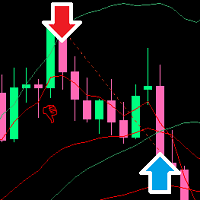
HMA Scalper Pro EA is a MetaTrader 5 expert advisor that trades in the direction of a Hull Moving Average. It adds a grid with reducing lot sizes, trailing stop, breakeven, spread control and time filters, and works on gold and other symbols.
Get one message the moment it launches, with its price.
HMA Scalper Pro EA is an expert advisor for MetaTrader 5 that follows the slope of a Hull Moving Average. When the line rises it looks for buy trades, when it falls it looks for sells, and it manages open positions with a grid, protective stops and several filters.
The Hull Moving Average smooths price while reacting to turns faster than a classic moving average. At the close of each bar the EA reads the direction of this line. A rising line creates a buy condition and a falling line creates a sell condition. A trade is only opened if that direction is allowed by the trade direction mode you picked: buy only, sell only or both.
The HMA can be calculated on its own timeframe. This lets you keep the trend reading on a higher timeframe while the EA works on a lower chart, which is a common way to filter scalping entries.
If price moves against the first trade, the EA can add further orders at a fixed step, up to an order limit. Each added order uses a smaller lot than the previous one, and the cycle restarts once all positions are closed. Open positions can carry a stop loss and take profit, a trailing stop and a breakeven move. The EA also checks the broker's stop level and freeze level so that protective orders are placed in valid positions.
The tool is aimed mainly at gold (XAUUSD), but it can be attached to forex pairs, oil, indices and crypto symbols that your broker offers on MT5. It can run on any chart timeframe, with the HMA timeframe set separately. Spreads, swaps and execution speed differ a lot between symbols, so each one needs its own testing.
The exact default values are not listed here, so open the Inputs tab after attaching the EA and review every field. The main groups are:
| Group | What it controls |
|---|---|
| Hull settings | Period and timeframe used to read the trend direction |
| Trade direction | Buy only, sell only or both |
| Risk and lot size | Base volume and how later grid lots are reduced |
| Grid | Step between orders and maximum number of orders |
| Protection | Stop loss, take profit, trailing stop and breakeven |
| Filters | Spread limit, daily trade limit, weekdays and hours |
A grid can build up several open positions in a trending market, and scalping on gold can be sensitive to spread and slippage. Do not rely on any single set of inputs. Test on a demo account and in the Strategy Tester first, and only risk money you can afford to lose.
Trading carries risk, and past results, including backtests, do not predict future ones. This product does not remove the possibility of loss.
| Product type | Expert Advisor |
|---|---|
| Platform | MetaTrader 5 only |
| Strategy focus | Gold or XAUUSD, Scalping, Signals, Trend |
| Delivery | Download from your account after purchase |
| License key | Not needed |
| Status | Launching soon |
| Category | Expert advisor (fully automated) |
| Core signal | Direction of the Hull Moving Average |
| Markets | Gold (XAUUSD) mainly; also forex, oil, indices, crypto |
| Timeframes | Any chart; HMA timeframe is a separate input |
| Trade style | Trend-following scalping with an adaptive grid |
| Account types | Netting and hedging |
| Requirements | Algo trading enabled; broker with suitable spreads; VPS advised |
No reviews yet. Customers who own HMA Scalper Pro EA can review it here.
No. This product is built for MetaTrader 5 and will not load on MT4. If you trade on MT4, you need a product that is listed as an MT4 expert advisor.
Yes, the EA is designed to handle both account types. Check which type your broker gave you, because grid behaviour is easier to follow on a hedging account, where each order is its own position.
It does not double lot sizes. Each later grid order is meant to use a smaller lot than the one before it. It is still a grid, so several positions can be open against you at once. Study the drawdown in the Strategy Tester with your broker's data before going live.
The inputs cover the Hull period and timeframe, trade direction, risk and lot sizing, grid step and order limit, stop levels, trailing, breakeven, spread limit, daily limit and time filters. Exact suitable values depend on the symbol and broker, so test them on a demo account first.
Copy the expert advisor file into the Experts folder via File, Open Data Folder, MQL5, Experts in MetaTrader 5. Restart the terminal or refresh the Navigator, drag the EA onto a chart and enable Algo Trading.
The EA must be running to manage trades, so a VPS or an always-on computer with a stable connection is sensible. It is not a technical requirement for installing the tool.
HMA Scalper Pro EA
Notify me at launchQuestions about this tool?
Ask us on Telegram Install guide for MT4 and MT5 Get a custom version builtFree, practical help with testing, sizing and running expert advisors.
More MT5 tools with a similar focus.










Own HMA Scalper Pro EA? Sign in to review it.