

Available soon
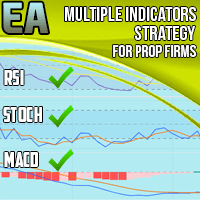
An MT5 expert advisor that opens trades from MACD, RSI, Stochastic and EMA signals. It adds daily and monthly drawdown limits, a profit target, breakeven, partial take profits and trading-hours filters aimed at prop firm challenge rules.
Get one message the moment it launches, with its price.
Multiple Indicators Strategy EA for Prop Firms is an MT5 expert advisor that takes its entry signals from four familiar indicators and wraps them in controls designed for funded-account challenges. Its aim is to keep trading inside the loss limits and targets that prop firms usually set.
The EA combines MACD, RSI, Stochastic and an exponential moving average. Each reading acts as a filter, and a position is opened only when the indicators line up according to the strategy logic. This gives it a momentum-and-signal approach rather than a grid or martingale method.
The EA is intended for Forex pairs. It is mainly suggested for short timeframes between M5 and M10. Check how your broker names symbols, and compare spreads and commissions, since short-term strategies are sensitive to trading costs.
Exact input names and defaults can differ between copies, so open the inputs tab and read the manual before you go live. The groups below are the ones to review.
| Group | What to check |
|---|---|
| Risk | Percentage of capital risked per trade and the risk-to-reward ratio |
| Drawdown limits | Daily and monthly limits, matched to your firm's rules |
| Profit target | The level at which the EA stops, if you want one |
| Schedule | Allowed days and hours, in your broker's server time |
| Exits | Breakeven, partial take profits, stop loss limits in pips |
Drawdown limits reduce exposure but cannot remove it. Fast markets, news and wide spreads can cause slippage, so a loss may exceed the level you set. Prop firm rules also change, so confirm the current terms yourself.
Trading carries risk and past results do not predict future ones. Test any settings on a demo account before using them on a funded or live account.
Because the EA must monitor the account around the clock, run it on a VPS where possible.
| Product type | Expert Advisor |
|---|---|
| Platform | MetaTrader 5 |
| Strategy focus | Signals, Momentum |
| Delivery | Download from your account after purchase |
| License key | Not needed |
| Status | Launching soon |
| Category | Expert advisor |
| Markets | Forex pairs |
| Timeframes | M5, M6 and M10 are the suggested range |
| Trade style | Indicator-based signals with momentum filters |
| Prop firm tools | Daily and monthly drawdown limits, profit target stop |
| Trade management | Breakeven, up to two partial take profits, stop loss limits |
| Requirements | 24/7 uptime, so a VPS is advisable |
No reviews yet. Customers who own Multiple Indicators Strategy EA for Prop Firms can review it here.
No. This product is built for MetaTrader 5 only. It will not load on MT4, so make sure your prop firm or broker offers an MT5 account before you buy.
No expert advisor can promise that. The drawdown limits and profit target help the EA stay inside typical rules, but trading carries risk and past results do not predict future ones. Test on a demo account and read your firm's current rules carefully.
In MT5 choose File, then Open Data Folder, and copy the EA file into MQL5/Experts. Restart the terminal or refresh the Navigator, drag the EA onto a chart, and switch on Algo Trading. Check that automated trading is allowed on your account.
The tool is intended for Forex pairs and is mainly suggested for the M5 to M10 range. Spreads, execution speed and the symbol suffix differ between brokers, so run it on a demo account first.
The EA needs to run continuously to watch signals and enforce its drawdown limits, so a VPS or another always-on machine is advisable. If the terminal is closed, the protections stop working with it.
Do not assume so. Check the product page and manual for any presets that come with your copy. Settings that suit one broker or challenge may not suit another, so test and adjust them yourself.
Multiple Indicators Strategy EA for Prop Firms
Notify me at launchQuestions about this tool?
Ask us on Telegram Install guide for MT4 and MT5 Get a custom version builtFree, practical help with testing, sizing and running expert advisors.
More MT5 tools with a similar focus.











Own Multiple Indicators Strategy EA for Prop Firms? Sign in to review it.