
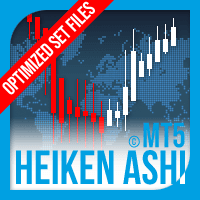

Available soon
An automated MetaTrader 5 expert advisor that opens trades when classic or smoothed Heiken Ashi candles change colour. It adds moving average and MACD filters, a distance limit between entries, and trailing stops based on Heiken Ashi candles.
Get one message the moment it launches, with its price.
Heiken Ashi EA for MetaTrader 5 is an automated system that reads Heiken Ashi candles and opens trades when their colour changes. It can use either the classic or the smoothed version of the candles, and it offers several filters and exit tools so you can adjust it to your own approach.
Heiken Ashi candles are calculated from averaged price data, so they tend to show a trend as a run of same-coloured candles. The EA watches for a change from one colour to the other and treats it as an entry signal. Rather than always acting on the first candle, you can pick which candle after the change, from the 2nd up to the 10th, is allowed to open the first trade. A later candle usually means fewer but more confirmed signals, while an earlier one reacts faster.
Stops and targets can be hard (placed on the server) or virtual (managed inside the EA). A trailing stop can follow earlier Heiken Ashi candles, so the stop level moves with the trend structure. The EA can also express SL, TP, break-even and trailing distances as a percentage of average daily range, and it can manage all open positions together as a basket with its own profit, loss, break-even and trailing rules.
The EA is mainly used on forex pairs, and the developer supplies set files for many symbols. Timeframe is a user choice, and results differ a lot between timeframes, so start from the set file that matches your symbol rather than guessing. Check spreads, swap costs and symbol naming at your broker before you begin.
Exact input names and defaults can change between releases, so read the input list in the terminal when you attach the EA. The main groups are:
| Group | What it controls |
|---|---|
| Candle type | Classic or smoothed Heiken Ashi, and smoothing parameters |
| Entry trigger | Which candle after a colour change opens the first trade |
| Distance limit | Minimum gap between same-direction orders |
| Filters | Moving average and MACD on or off, with their periods |
| SL and TP | Hard or virtual, fixed or ADR-based, break-even and trailing |
| Basket | Combined TP, SL, break-even and trailing across open positions |
| Risk | Lot size or risk percentage per trade |
Trading carries risk, and you can lose more than you expect. Past and backtested results do not predict future ones. Test on a demo account, use a small risk per trade, and never trade money you cannot afford to lose.
| Product type | Expert Advisor |
|---|---|
| Platform | MetaTrader 5 (expert advisor) |
| Strategy focus | Signals, Grid, Momentum |
| Delivery | Download from your account after purchase |
| License key | Not needed |
| Status | Launching soon |
| Category | Automated trading, trend and momentum signals |
| Signal source | Classic or smoothed Heiken Ashi candle colour change |
| Filters | Moving average and MACD (optional) |
| Exit tools | Hard or virtual SL/TP, break-even, trailing stop, basket exits |
| Markets | Forex and other symbols; check the supplied set files |
| Timeframes | Set by the user; follow the set file for each symbol |
| Requirement | Heiken Ashi Smoothed indicator for MT5 in the Indicators folder |
No reviews yet. Customers who own Heiken Ashi EA MT5 can review it here.
No. This product is built for MetaTrader 5 only. An MT4 terminal cannot load it, so check that your broker offers an MT5 account before buying.
Yes. The EA reads a Heiken Ashi Smoothed indicator for MT5, which has to sit directly in the MQL5 Indicators folder of your data directory, not in the Examples folder or any other subfolder. Check the download contents and the product page to see whether the indicator is included or must be obtained separately.
The EA comes with set files tuned for a range of symbols. Load the set file that matches your symbol and timeframe, then review the lot size or risk input before running it on a live account. Test on a demo account first.
The EA is described as compatible with the MQL5 VPS service. It can also run on any Windows or Linux VPS that hosts a MetaTrader 5 terminal, as long as the indicator is installed on that machine as well.
No result can be promised. Trading carries risk, and past or backtested results do not predict future ones. Test on a demo account and keep your risk per trade small.
Any broker that offers MetaTrader 5 and allows expert advisors should work. Spreads, execution speed, and symbol naming differ between brokers, so check the symbol names and test on a demo account first.
Heiken Ashi EA MT5
Notify me at launchQuestions about this tool?
Ask us on Telegram Install guide for MT4 and MT5 Get a custom version builtFree, practical help with testing, sizing and running expert advisors.
More MT5 tools with a similar focus.







Own Heiken Ashi EA MT5? Sign in to review it.