
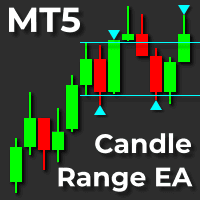

Available soon
Candle Range EA is a MetaTrader 5 expert advisor that watches for a break of the high or low of a chosen candle and opens a continuation or reversal trade. Stops and targets can be fixed or scaled to the signal candle's range.
Get one message the moment it launches, with its price.
Candle Range EA is an expert advisor for MetaTrader 5 that trades range breaks. It waits for price to move beyond the high or low of a selected candle, then opens a trade in the direction of the break or against it, depending on how you configure it.
The signal candle is the reference. When its high or low is broken, the EA treats that as a trigger. You choose whether the trade follows the break (continuation) or fades it (reversal), which lets you adapt the logic to symbols that behave differently around their opening range.
The idea is that the first part of a session often sets a directional tone, while activity can thin out and prices can settle into a narrower range towards the close. The time settings let you focus on the periods you want to trade rather than leaving the EA active all day.
The suggested starting points are M15 for indices and gold and H1 for forex pairs. Symbols mentioned for it include XAUUSD, GBPAUD, Nasdaq, S&P 500, FTSE 100 and Dow Jones. It can be set up for other symbols on intraday timeframes, but you should back-test each one on your own broker's data. Symbol names and trading hours differ between brokers, so check them before use.
Exact default values are not listed here, and the defaults are tuned for XAUUSD, so review every input before using another symbol.
| Group | What it controls |
|---|---|
| Position sizing mode | Fixed lot size, or dynamic size based on a maximum money risk per trade |
| Fixed lot size | Volume per trade in fixed mode |
| Dynamic risk, minimum and maximum lots | Money risk per trade in account currency, with lower and upper lot limits |
| Trade limits mode | Fixed points or dynamic limits based on the signal candle range |
| Fixed stop and target | Distances in points, used in fixed mode |
| Dynamic stop and target | Percentage of the signal candle range, used in dynamic mode |
| Time and day filters | Daily trading window, weekdays, custom market open time, close-before time |
| Entry controls | Continuation or reversal, maximum daily entries, multiple trades per signal |
| Magic number | Identifies each instance so orders do not conflict |
Trading leveraged products carries a high level of risk, and past results, including back-tests, do not predict future ones. Breakout systems can suffer from false breaks, slippage and wide spreads. Test on a demo account first and only risk money you can afford to lose.
For continuous operation, a VPS with a stable connection is advisable. Low-spread accounts suit this style of trading better.
| Product type | Expert Advisor |
|---|---|
| Platform | MetaTrader 5 (expert advisor) |
| Strategy focus | Signals, Grid, Momentum, Breakout |
| Delivery | Download from your account after purchase |
| License key | Not needed |
| Status | Launching soon |
| Category | Automated trading, breakout and momentum |
| Suggested markets | XAUUSD, GBPAUD and major stock indices such as Nasdaq, S&P 500, FTSE 100, Dow Jones |
| Suggested timeframes | M15 for indices and gold, H1 for forex pairs |
| Trade style | Intraday range breakout, continuation or reversal |
| Position sizing | Fixed lot size or dynamic size from maximum money risk |
| Trade management | Stop loss on each trade, trailing stop, break-even option |
| Requirements | Algo trading enabled; a VPS is advisable for continuous running |
No reviews yet. Customers who own Candle Range EA MT5 can review it here.
It is built for MetaTrader 5 and will not load in MetaTrader 4. Use a MetaTrader 5 terminal and an account type that allows expert advisors.
Copy the files into the MQL5/Experts folder via File > Open Data Folder in the terminal, then restart MetaTrader 5 or refresh the Navigator. Drag the EA onto a chart and make sure Algo Trading is switched on.
The suggested starting points are M15 for indices and gold and H1 for forex pairs, with XAUUSD, GBPAUD and major indices mentioned as targets. It can be configured for other symbols, so back-test on your own broker's data before using it on a live account.
Yes, but give each instance a different magic number so the orders from one chart are not confused with those from another. Running separate symbols can spread exposure, though it does not remove risk.
No specific broker or deposit is set out here. Low spreads are preferable for a breakout system. Check your broker's contract sizes, stop levels and the lot or risk settings against your account size before trading live.
The design does not rely on martingale or grid averaging, and each trade is placed with a stop loss. It can open more than one trade from a single signal if you set it to, so review that option and your total exposure.
Candle Range EA MT5
Notify me at launchQuestions about this tool?
Ask us on Telegram Install guide for MT4 and MT5 Get a custom version builtFree, practical help with testing, sizing and running expert advisors.
More MT5 tools with a similar focus.









Own Candle Range EA MT5? Sign in to review it.