

Available
An MT4 expert advisor that builds a price channel over a time window you choose, then trades breaks of that range using one of four entry methods. It does not need the Panca Eagle indicator on the chart.
Get one message the moment it launches, with its price.
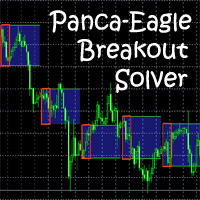
Panca Eagle Breakout Solver is an MT4 expert advisor that turns a time-based price range into trades. It records the high and low of a window you define, then waits for the market to leave that range and acts according to one of four entry methods.
Between the begin and end times of the channel period, the expert tracks the highest and lowest prices. Once the channel period ends, the trading period starts and runs until the box end time. At box end, every open order is closed whatever its result, so nothing is carried overnight by the box logic itself.
The channel is designed around the Asian session on forex pairs, although the range can be widened to take in part of the European session. Because the logic depends on clock times rather than candle patterns, confirm how your broker's server time lines up with the sessions you want. The chart timeframe is not the main driver, so test a few and pick one that lets you see the box clearly.
The main inputs are listed below. Exact defaults can differ, so review them in the input window before you start.
| Group | Parameters |
|---|---|
| Timing | Channel begin, channel end, box end, trading days |
| Risk | Stop loss, take profit, fixed lot or percentage of free margin, daily order limit |
| Entry | Strategy mode, distance from channel, pending distance, slipping option |
| Management | Breakeven, trailing stop, trailing step, profit target to close all |
| Filters | EMA fast and slow periods, RSI period and upper and lower levels |
| Final Destination | Lot multiplier and maximum lot |
Breakout systems can suffer false breaks, wide spreads around session changes and slippage on pending orders. Multiplying lots after a fill, as in Final Destination, can enlarge losses quickly. Set a stop loss and a maximum lot, and avoid sizing positions beyond what your account can absorb.
Trading carries risk, and past results do not predict future ones. Test on a demo account and confirm all settings with your broker before using real funds.
| Product type | Expert Advisor |
|---|---|
| Platform | MetaTrader 4 (expert advisor) |
| Strategy focus | Momentum, Breakout |
| Delivery | Download from your account after purchase |
| License key | Not needed |
| Status | Launching soon |
| Category | Expert advisor |
| Strategy type | Momentum, range breakout |
| Markets | Built around forex pairs; check your broker's symbols |
| Timeframes | Time-window based; test on the chart period you prefer |
| Entry methods | Breakout, Market execution, Retest, Final Destination |
| Lot sizing | Fixed lot or percentage of free margin |
| Indicator required | No, the expert works without the indicator |
No reviews yet. Customers who own Panca Eagle Breakout Solver can review it here.
No. The expert calculates its own channel from the begin and end times you set, so the indicator does not need to be on the chart. Traders who already use the indicator manually may find the channel logic familiar.
It is an MT4 expert advisor and will not load in MetaTrader 5. If you use MT5, look for a product built for that platform.
Open MetaTrader 4, choose File then Open Data Folder, and copy the expert file into MQL4/Experts. Restart the terminal or refresh the Navigator, drag the expert onto a chart and enable automated trading.
Check the channel start and end times against your broker's server time, the box end time, stop loss, take profit, lot sizing and the strategy mode. Test on a demo account first, because the right values depend on the broker and symbol.
It increases the lot size on the replacement order by a multiplier, which raises exposure when trades go against you. Use the maximum lot limit, keep the multiplier modest and test carefully. Trading carries risk.
It should run on brokers that offer MT4 and allow expert advisors, but pending orders, stop distances and spreads vary. Confirm the minimum stop level and symbol naming with your broker on a demo account.
Panca Eagle Breakout Solver
Notify me at launchQuestions about this tool?
Ask us on Telegram Install guide for MT4 and MT5 Get a custom version builtFree, practical help with testing, sizing and running expert advisors.
More MT4 tools with a similar focus.











Own Panca Eagle Breakout Solver? Sign in to review it.