
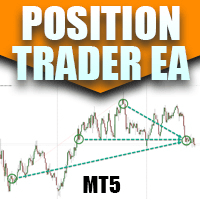

Available soon
Position Trader EA is an MT5 expert advisor that enters on RSI or average daily range (ADR) conditions and scales into positions in steps. It also has manual buttons so you can add its position management to entries from your own strategy.
Get one message the moment it launches, with its price.
Position Trader EA is an MT5 expert advisor built around position trading: it takes a modest first entry and then adds to the position in stages as the market moves, rather than depending on one precisely timed trade. It can generate entries itself from RSI or ADR conditions, or it can take over a trade you open by hand.
The EA treats price like a stretched elastic band. When price moves far from its usual range, it looks for a mean reversion entry. If price keeps going, it adds further entries at the next levels in the same direction. The aim is to manage the position after entry, so the accuracy of the first trade matters less than the way additional entries and exits are handled.
You can enable one signal type or several together. If more than one fires at the same moment, the EA opens only a single trade.
On-chart buttons let you open an initial trade, add trades to an existing position and close positions. This is how you can apply the EA's position management to a strategy of your own: enter manually, then let the EA either close at a profit level or scale in on the next leg.
The tool is designed for forex instruments, since the ADR calculation depends on a meaningful daily range. It runs on intraday charts, but the best timeframe depends on the signal type and your inputs, so confirm this in the author's manual and in your own testing.
The exact inputs and defaults are listed in the author's manual. Review them before you trade. The main groups are:
| Group | What to check |
|---|---|
| Signal selection | Which of RSI, ADR, moving average, three-bar and reversal alert signals are active |
| RSI and ADR levels | Trigger levels, ADR period and whether the candle must close beyond the level |
| Position scaling | Spacing and size of additional entries, and the profit target |
| Stops and risk | Whether stop losses are used and which ADR multiple sets the distance |
| Trade limits | Option to trade once per day in each direction |
| Display | Average price line and on-chart buttons |
Scaling into a position that keeps moving against you increases exposure and margin use. Decide your maximum lot size, number of entries and acceptable drawdown before going live, and check that your account can carry the full ladder of entries.
Trading carries risk, and you can lose more than you expect. Past results do not predict future ones. Test on a demo account first and only trade with money you can afford to lose.
For continuous operation, many traders run the EA on a VPS so the terminal stays connected.
| Product type | Expert Advisor |
|---|---|
| Platform | MetaTrader 5 |
| Strategy focus | Signals, Momentum |
| Delivery | Download from your account after purchase |
| License key | Not needed |
| Status | Launching soon |
| Category | Expert advisor |
| Trade style | Position trading, scaling in, mean reversion |
| Entry logic | RSI, ADR extension, moving average, three-bar reversal, reversal alert |
| Markets | Forex instruments with a meaningful daily range |
| Timeframes | Intraday charts; confirm in the manual for your setup |
| Manual tools | On-chart buttons to open, add to and close trades |
| Requirements | Algo trading enabled, stable connection, VPS suggested |
No reviews yet. Customers who own Position Trader EA MT5 can review it here.
This listing is for MetaTrader 5 only. The author has published a separate MT4 build, so check that you buy the one that matches your platform.
Yes. You can open the first trade yourself with the on-chart buttons. The EA then either closes the trade at its set profit level or manages it as a scaled position, depending on your inputs.
The author maintains a manual that describes every input. Read it before trading live, and run the EA on a demo account first to see how each option changes behaviour.
By default the approach relies on scaling in and drawdown control rather than fixed stops. There are options to apply stop losses and to adjust the ADR multiple used for stop and risk calculation. Check these inputs carefully.
Any MT5 broker that offers the forex symbols you want to trade should work. Check spreads, swap costs, margin requirements and whether your account type allows multiple positions in the same direction.
Copy the files into the MQL5 Experts folder through File, Open Data Folder in MT5, restart the terminal, then attach the EA to a chart with algo trading enabled.
Position Trader EA MT5
Notify me at launchQuestions about this tool?
Ask us on Telegram Install guide for MT4 and MT5 Get a custom version builtFree, practical help with testing, sizing and running expert advisors.
More MT5 tools with a similar focus.










Own Position Trader EA MT5? Sign in to review it.