


Available soon
Spectra Zone Scalper is an MT5 expert advisor for scalping XAUUSD on lower timeframes. It combines indicator-based entries with a zone recovery routine and adjustable filters for trading hours and days.
Get one message the moment it launches, with its price.
Spectra Zone Scalper is an expert advisor for MetaTrader 5 that scalps gold (XAUUSD) on short timeframes. It pairs indicator-based entry signals with a zone recovery routine, and lets you restrict when it trades and how it manages open positions.
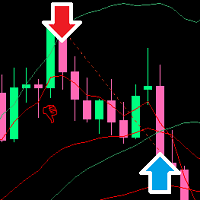
The EA looks for entries by combining several technical indicators with its own calculations. When a signal appears, it opens a position and works within a price zone around that entry. If price moves against the position and leaves the zone, the recovery routine can open additional trades in the opposite direction, with the aim of bringing the sequence back to a small net gain or break-even once price turns.
Recovery methods of this kind can place larger or more numerous positions during a losing run. Read how the zone and the lot sizing inputs interact before you trade, and watch the margin the EA needs on your account.
The default inputs are made for XAUUSD on a broker that quotes gold with three decimal digits, for example 2700.123. Spreads, execution speed and digit count differ between brokers, so compare your own symbol specification with the defaults. The EA is aimed at lower timeframes. Other symbols can be tried, but they need their own optimization and testing.
Exact values depend on the set file you load and on your broker, so check them in the inputs dialog instead of assuming them. The main groups are:
| Group | What it controls |
|---|---|
| Zone range | How far price may move before a recovery trade is considered |
| Lot sizing | Starting volume and how recovery volume is scaled |
| Trailing stop | How open profit is protected |
| Trading time | Hours during which new sequences may start |
| Trading days | Weekdays on which the EA is allowed to trade |
| EA behavior | General handling of trades and signals |
Optimized gold set files are supplied after purchase. Use them as a starting point and test any change before using it on a live account.
Trading carries risk, and scalping with a recovery routine can produce sharp drawdowns when gold moves strongly in one direction. Past results, including tester results, do not predict future ones. Test on a demo account first and only risk money you can afford to lose.
Before going live, run the strategy tester with realistic spreads and then forward test on a demo account to see how the EA behaves on your broker's feed.
| Product type | Expert Advisor |
|---|---|
| Platform | MetaTrader 5 |
| Strategy focus | Gold or XAUUSD, Scalping, Signals |
| Delivery | Download from your account after purchase |
| License key | Not needed |
| Status | Launching soon |
| Category | Expert advisor (automated trading) |
| Default market | XAUUSD (gold), quoted with 3 digits |
| Other symbols | Possible, but needs your own optimization |
| Trade style | Scalping with a zone recovery routine |
| Timeframes | Lower timeframes; confirm in the settings and tester |
| Filters | Trading time, trading days, zone range, trailing stop |
| Requirements | MT5 terminal, EAs enabled, a broker offering XAUUSD |
No reviews yet. Customers who own Spectra Zone Scalper can review it here.
No. This product is an MT5 expert advisor and will not load in MetaTrader 4. You need an MT5 terminal and an account that supports it.
The default inputs are meant for XAUUSD on a broker that quotes gold with three decimal digits, for example 2700.123. If your broker uses a different digit count, or you want to trade another symbol, expect to review and optimize the inputs first.
You can attach it to other symbols, but the defaults are not tuned for them. Run the strategy tester and a demo account, adjust the zone range and other inputs, and judge the results yourself before going live.
Copy the expert advisor files into the Experts folder of your MT5 data directory (File, Open Data Folder, MQL5, Experts), restart the terminal or refresh the Navigator, then drag the EA onto an XAUUSD chart. Make sure algorithmic trading is switched on.
Optimized set files for gold are provided after purchase. Load one from the inputs dialog of the EA, then compare its values with your broker's contract specification and spread.
No. Recovery-style scalpers can build up drawdown quickly when the market moves one way. Test in the strategy tester and on a demo account first, and only trade money you can afford to lose.
Spectra Zone Scalper
Notify me at launchQuestions about this tool?
Ask us on Telegram Install guide for MT4 and MT5 Get a custom version builtFree, practical help with testing, sizing and running expert advisors.
More MT5 tools with a similar focus.










Own Spectra Zone Scalper? Sign in to review it.