
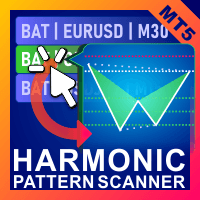

Available soon
Voenix is an MT5 expert advisor that scans several symbols and timeframes for harmonic and classic chart patterns. It can list them in a table, send alerts or place trades with up to three targets.
Get one message the moment it launches, with its price.
Voenix is an MT5 expert advisor that looks for harmonic patterns and a handful of classic chart patterns on many symbols and timeframes at once. It can simply list what it finds, notify you, or open and manage trades for the pattern types you choose.
The scanner covers 25 pattern types. These include ABCD, Gartley, Bat, Alt Bat, Butterfly, Crab, Deep Crab, Cypher, Shark, 3 Drives, Black Swan, White Swan, Quasimodo, Head and Shoulders, Ascending Triangle and One Two Three, together with a set of custom patterns. Detection uses a block-based method that does not repaint and does not wait for a zig zag swing to confirm, so a possible pattern can show up before the final leg is complete.
Every pattern found is placed in a quick-access table. You can sort it by time of appearance, pattern type, symbol, timeframe and the state of the optional filters. You can also narrow the view, for example to patterns that finish near a support or resistance zone. Clicking an entry opens that pattern on its own chart, and you may supply a chart template so these charts look the way you prefer.
You choose the symbols and timeframes to scan, so it can be used on forex pairs, metals, indices or other instruments your broker provides in MT5. Wider scanning means more chart data to process, so check how your computer or VPS copes with your list.
The exact input names and defaults can differ, so read the input tab and the vendor's manual before going live. In general, expect groups like these:
| Group | What to check |
|---|---|
| Symbols and timeframes | Which instruments and periods are scanned |
| Pattern selection | Which pattern types are enabled, traded or only alerted |
| Stops and targets | Stop mode, number of targets and the share closed at each |
| Trailing | Step trailing on or off and its step size |
| Filters | RSI, MACD, Bollinger, Stochastic and support/resistance rules |
| Notifications | Terminal alerts, push messages or email |
| Display | Table sorting and the chart template for pattern charts |
Trading carries risk, and past results do not predict future ones. Pattern detection is not a forecast, and a pattern can fail. Test on a demo account, size positions carefully and never trade money you cannot afford to lose.
Because the tool is designed for live charts rather than the strategy tester, there is no simple backtest to rely on. Observe it on a demo account across different market conditions and review how stops, targets and filters behave on your broker.
| Product type | Expert Advisor |
|---|---|
| Platform | MetaTrader 5 (expert advisor) |
| Strategy focus | Momentum, Support and resistance |
| Delivery | Download from your account after purchase |
| License key | Not needed |
| Status | Launching soon |
| Category | Pattern scanner and trade manager |
| Strategy tags | Momentum, support and resistance |
| Markets | Any symbol available at your broker; multi-pair scanning |
| Timeframes | Multi-timeframe scanning on the symbols you select |
| Trade style | Pattern-based entries, up to 3 targets, step trailing |
| Filters | RSI, MACD, Bollinger Bands, Stochastic, basic support/resistance |
| Testing note | Not suited to the strategy tester; check the live demo option |
No reviews yet. Customers who own Voenix Chart Pattern Scanner MT5 can review it here.
The tool is built around live chart scanning and chart objects, and it is not intended to be run in the strategy tester. To judge how it behaves, run it on a demo account with live quotes and watch how patterns are detected, listed and managed before using real funds.
No. This listing is for the MetaTrader 5 version only. An MT4 terminal cannot load it, so confirm you are using MT5 before buying.
No. You can use it only as a scanner that collects patterns in a table, or add alerts and notifications. Automatic trading is optional and can be set separately for each pattern type.
It should run with any MT5 broker that offers the symbols you want to scan. Check your broker's symbol names, spreads, stop levels and whether the account allows expert advisors. A netting or hedging account may affect how multiple targets are handled, so test this first.
Copy the expert advisor file into the MQL5/Experts folder via File, Open Data Folder in MT5, then restart the terminal or refresh the Navigator. Drag it onto a chart, and enable Algo Trading. If you use notifications, set up the alerts and push options in the terminal too.
No fixed figure is given here. It depends on your broker, the symbols you trade and the lot sizes you choose. Check the settings and your broker's contract specifications, and start on a demo account.
Voenix Chart Pattern Scanner MT5
Notify me at launchQuestions about this tool?
Ask us on Telegram Install guide for MT4 and MT5 Get a custom version builtFree, practical help with testing, sizing and running expert advisors.
More MT5 tools with a similar focus.










Own Voenix Chart Pattern Scanner MT5? Sign in to review it.