

Available soon
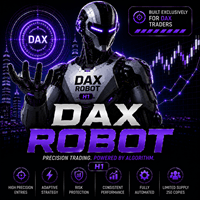
DAX Robot is an automated expert advisor for MetaTrader 5 that trades the DAX 40 index on the H1 chart. It combines trend, momentum and volatility filters with a news filter, a weekly schedule and configurable stop loss and take profit.
Get one message the moment it launches, with its price.
DAX Robot is an expert advisor for MetaTrader 5 that trades the DAX 40 index on the H1 chart. It places, manages and closes positions automatically, so you do not need to watch the chart all day, and it gives you a set of controls for direction, trading hours, news and risk.
The robot reads the H1 chart and only opens a position when its entry filters agree. According to the developer, these filters look at trend direction, momentum and market structure, including support and resistance areas, together with a volatility check that notices when the market becomes quieter or more active. The aim is to skip weak setups rather than trade every bar.
Once a trade is open, you decide how it is managed. Take profit can be a fixed level or left to the robot's own trade management. Stop loss can be a fixed distance or a percentage setting.
You can limit the robot to buy trades, sell trades, or allow both. This is useful if you want to follow a view on the index or compare how each side behaves in testing.
A built-in news filter keeps the robot from opening new positions around high-impact economic releases. The developer describes a pause of 60 minutes before and after such events; confirm the current behaviour in the manual. An optional holiday setting stops trading on days when liquidity is typically thin.
Spreads and trading hours on index CFDs vary between brokers, and they affect results. A low-spread account is recommended.
Exact input names and default values can change, so read the manual before trading live. The main areas are:
| Setting area | What it controls |
|---|---|
| Trade direction | Buy only, sell only, or both |
| Trading schedule | Allowed hours for each day of the week |
| News filter | Pauses new entries around high-impact events |
| Holiday control | Optional stop on low-liquidity days |
| Daily profit limit | Optional cap on the day's gains |
| Maximum drawdown | Optional limit on daily losses |
| Stop loss | Fixed or percentage-based |
| Take profit | Fixed or automated management |
An on-chart panel displays statistics, market information and the current robot status.
In the MetaTrader 5 strategy tester, choose the Every tick model, a fixed lot of 0.01, your own date range and leverage of 1:100 or higher. A deposit of 1000 is a common starting point. Leverage changes the outcome, so use the same value when comparing runs. Then run the robot on a demo account before risking real money.
Trading leveraged index products carries a high level of risk and you can lose more than you expect. Past results, including backtests and any published live statistics, do not predict future results. Confirm the minimum deposit, leverage and symbol details with your broker and in the manual, and only trade with money you can afford to lose.
| Product type | Expert Advisor |
|---|---|
| Platform | MetaTrader 5 (expert advisor) |
| Strategy focus | Scalping, Trend, Momentum, Support and resistance |
| Delivery | Download from your account after purchase |
| License key | Not needed |
| Status | Launching soon |
| Category | Automated trading, expert advisor |
| Market | DAX 40 index (symbol name depends on your broker) |
| Timeframe | H1 |
| Trade style | Scalping, trend, momentum, support and resistance |
| Trade direction | Buy only, sell only, or buy and sell |
| Stop loss and take profit | Fixed levels, percentage stop loss, or automated management |
| Requirements | Algo trading enabled; VPS suggested; low-spread account preferred |
No reviews yet. Customers who own DAX Robot MT5 can review it here.
This edition is an expert advisor for MetaTrader 5. It will not run on MetaTrader 4, so check that your broker offers an MT5 account before buying.
Attach it to a DAX 40 chart on the H1 timeframe. Brokers name the index differently, for example GER40, DE40 or DAX40, so find the exact symbol in your broker's market watch. The robot is designed for H1 only, so other timeframes are not the intended setup.
It can be attached to any MT5 account that offers a DAX 40 index symbol. The developer recommends a low-spread account, a leverage in the range of roughly 1:20 to 1:1000 and a starting balance of around 1000 USD. Check the current requirements in the manual and confirm your broker's contract specifications before trading.
Use the MetaTrader 5 strategy tester with the Every tick model, a fixed lot size of 0.01, a custom date range and leverage of 1:100 or higher. Leverage changes the tester result, so lower leverage can give weaker figures than higher leverage. After that, run it on a demo account first. Backtest and demo results do not predict live results.
Yes. You can set trading hours for each weekday, pick the trade direction, turn on holiday protection, and use optional daily profit and maximum drawdown limits. Stop loss and take profit can be fixed, or you can let the robot manage trades automatically.
A VPS is not mandatory, but the robot only trades while the terminal is running and connected. A VPS helps keep it online around the clock, which is why the developer suggests using one.
DAX Robot MT5
Notify me at launchQuestions about this tool?
Ask us on Telegram Install guide for MT4 and MT5 Get a custom version builtFree, practical help with testing, sizing and running expert advisors.
More MT5 tools with a similar focus.









Own DAX Robot MT5? Sign in to review it.