


Available soon
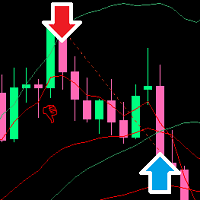
De Moore is an MT5 expert advisor that scalps gold (XAUUSD) on the M5 chart. It combines trend-following, price action and multi-timeframe analysis, and needs a hedging account.
Get one message the moment it launches, with its price.
De Moore is an automated expert advisor for MetaTrader 5 that trades gold (XAUUSD) on the M5 chart. It is a scalping system that looks for entries in the direction of the prevailing trend, using price action and a view of several timeframes.
The EA reads market structure on the M5 chart and cross-checks it against higher timeframes to judge the direction of the trend. It then opens short-term trades when price action fits that picture. Because it is fully automated, it opens, manages and closes positions without manual input once it is attached to a chart.
A news filter is part of the design. It is not applied inside the MetaTrader Strategy Tester, so a backtest may include trades that the live EA would skip around major releases. Treat any test as a rough guide only.
| Item | Requirement |
|---|---|
| Symbol | XAUUSD or your broker's gold symbol |
| Timeframe | M5 |
| Account type | Hedging |
| Spread | Low spread on gold |
Gold can move fast and spreads widen around news and at rollover, which matters a lot for a scalping system. Compare spreads and commissions across brokers before choosing where to run it.
The product is described as simple to configure. Exact input names and default values can change between releases, so open the Inputs tab after attaching the EA and read each parameter before enabling live trading. Items worth reviewing:
Test your chosen values on a demo account first, and keep the same symbol suffix and broker conditions you plan to use live.
Scalping systems depend heavily on execution quality. Slippage, spread spikes and server delays can change results compared with a backtest. Losing trades and losing periods should be expected.
Trading carries risk, and you can lose some or all of your capital. Past results, including backtests and signal histories, do not predict future ones. Only trade money you can afford to lose, and start on a demo account.
For continuous operation, many users run the terminal on a VPS so the EA is not interrupted by shutdowns or connection loss.
| Product type | Expert Advisor |
|---|---|
| Platform | MetaTrader 5 (expert advisor, .ex5) |
| Strategy focus | Gold or XAUUSD, Scalping, Signals, Trend |
| Delivery | Download from your account after purchase |
| License key | Not needed |
| Status | Launching soon |
| Category | Expert advisor, fully automated |
| Symbol | XAUUSD / GOLD (name may differ by broker) |
| Timeframe | M5 |
| Trade style | Scalping with trend and price action analysis |
| Account type | Hedging account required |
| Spread | Low-spread gold quotes preferred |
| Suggested balance | Around 500 USD listed; confirm with your broker before live use |
No reviews yet. Customers who own De Moore can review it here.
No. This product is an MT5 expert advisor and will not load in MetaTrader 4. You need a MetaTrader 5 terminal and a broker that offers MT5 accounts.
It is designed for XAUUSD (gold) on the M5 chart. Broker symbol names vary, for example GOLD or XAUUSD with a suffix, so attach it to the gold symbol your broker provides and set the chart to M5. Running it on other symbols or timeframes is not what it was built for.
A hedging account is required, with a broker that offers tight spreads on gold. The listing suggests a balance of around 500 USD, but check the lot size and margin requirements with your own broker before going live.
The news filter is not applied in the Strategy Tester, so a backtest can trade during periods that the live EA would avoid. Spreads, slippage and execution speed also differ between tests and live accounts. Past results do not predict future ones.
A VPS is not mandatory, but because the EA scalps on M5 and should run continuously, a stable, low-latency VPS is a sensible choice to avoid missed trades from a closed computer or lost connection.
Copy the expert file into the MQL5/Experts folder via File, Open Data Folder in MetaTrader 5, restart the terminal or refresh the Navigator, then drag the EA onto an XAUUSD M5 chart with Algo Trading enabled.
De Moore
Notify me at launchQuestions about this tool?
Ask us on Telegram Install guide for MT4 and MT5 Get a custom version builtFree, practical help with testing, sizing and running expert advisors.
More MT5 tools with a similar focus.










Own De Moore? Sign in to review it.