


Available soon
Dynamic Liquidity Intelligence is an MT5 expert advisor for XAUUSD on M15. It places Buy Stop and Sell Stop orders near recent volatility-based highs and lows, each with a preset stop loss and take profit.


Priced in US dollars, paid in crypto. The download is in your account as soon as the payment is confirmed. All sales are final; if the tool doesn't work as described, we fix it.
Dynamic Liquidity Intelligence is an expert advisor for MetaTrader 5 that trades breakouts on gold. It reads recent swing highs and lows, scales them to current volatility, and places pending stop orders just beyond those levels.
The EA watches price structure on the M15 chart and measures how volatile the market currently is. From that it works out recent highs and lows that could act as support or resistance. It then places a Buy Stop above resistance and a Sell Stop below support, so a trade opens only if price actually breaks through.
Every order is sent with a stop loss and a take profit already attached. Both distances adapt to volatility, and the EA keeps the relationship between stop loss and take profit within a set limit. Positions are handled one at a time. The EA does not use a grid, martingale sizing or averaging down.
The EA is built for XAUUSD on the M15 timeframe. A hedging account is required. Low-spread accounts such as ECN or raw types are preferred, since spread and slippage have a direct effect on breakout entries. Gold symbol names differ between brokers, so confirm the exact name and contract settings with yours.
Exact input names can differ, so open the inputs tab after attaching the EA and read each one before trading. The areas below are the ones to check first.
| Area | What to check |
|---|---|
| Lot size or risk | Match it to your balance and the risk you can accept; start small |
| Session hours | Convert to your broker's server time |
| Friday and holiday filters | Confirm they are switched on if you want them |
| Break-even and trailing | Review thresholds and step sizes |
| Magic number | Keep it unique if other EAs run on the account |
Check the product page for the recommended deposit, leverage and lot guidance, and confirm they suit your account before going live.
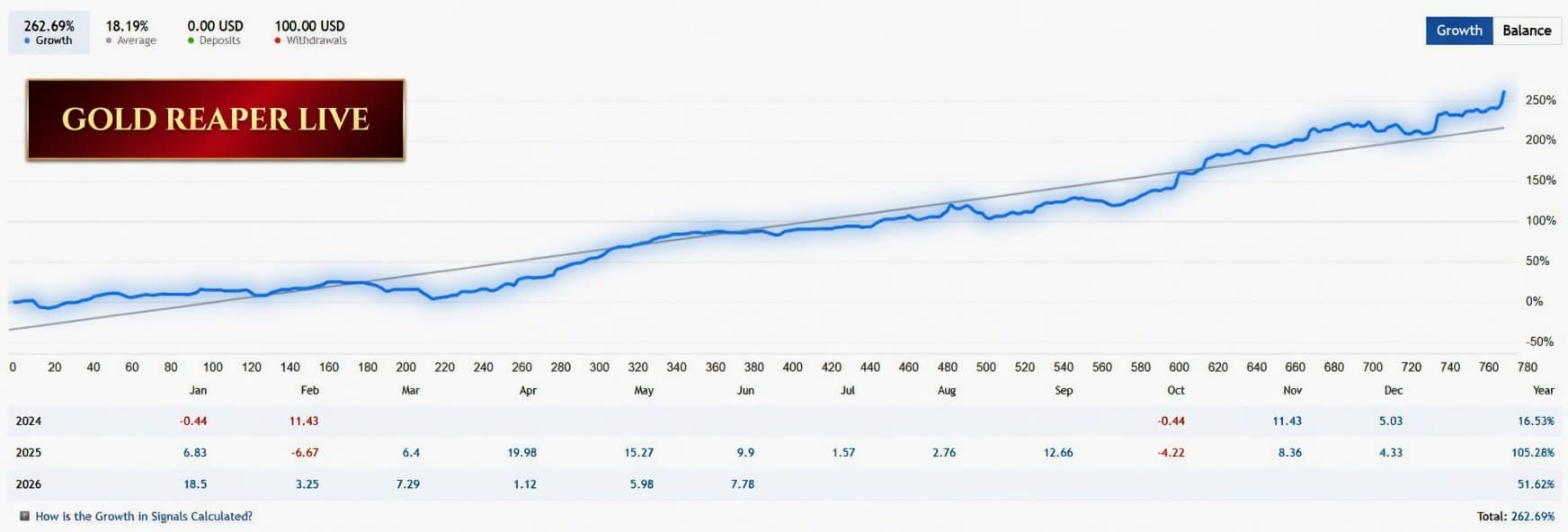
Trading leveraged products such as gold carries a high level of risk, and you can lose more than you expect. Past results, including any live signals, do not predict future ones. Test on a demo account first and only risk money you can afford to lose.
Consider running it on a VPS so the platform stays connected and pending orders are managed without interruption.
| Product type | Expert Advisor |
|---|---|
| Platform | MetaTrader 5 (expert advisor, .ex5) |
| Strategy focus | Support and resistance, Breakout |
| Delivery | Download from your account after purchase |
| License key | Not needed |
| Status | Available |
| Version | 2.27 |
| Last updated | 25 Oct 2026 |
| Download size | 121 KB |
| Category | Expert advisor |
| Strategy | Support and resistance, breakout with pending stop orders |
| Symbol | XAUUSD (gold) |
| Timeframe | M15 |
| Account type | Hedging; low-spread ECN or raw accounts preferred |
| Position handling | Single positions, no grid, martingale or averaging |
| Other requirements | Auto trading enabled; VPS suggested for continuous running |
Change TP Setting
No reviews yet. Customers who own Dynamic Liquidity Intelligence can review it here.
No. This is an MT5 expert advisor and will only run in MetaTrader 5. It cannot be loaded into MetaTrader 4.
It is designed for XAUUSD on the M15 chart. Other symbols and timeframes are not what it was built for, so test carefully on a demo account before changing either.
No. Each position is handled individually, and every order carries a predefined stop loss and take profit. It does not add to losing trades or average positions.
A hedging account with low spreads, such as an ECN or raw-spread type, is preferred because the EA relies on pending orders and tight execution. Check your broker's gold symbol name, spread, stop level and leverage before going live.
Copy the file into the Experts folder through File, then Open Data Folder, then MQL5, then Experts. Restart MT5 or refresh the Navigator, attach the EA to an XAUUSD M15 chart, set your inputs and switch on Algo Trading.
It is not mandatory, but a VPS is advisable because the EA must be running continuously to manage pending orders, break-even and trailing stops.
Dynamic Liquidity Intelligence
Buy nowQuestions about this tool?
Ask us on Telegram Install guide for MT4 and MT5 Get a custom version builtFree, practical help with testing, sizing and running expert advisors.
More MT5 tools with a similar focus.











Own Dynamic Liquidity Intelligence? Sign in to review it.