
Available soon
A MetaTrader 5 utility that scans your broker's symbols for correlated pairs, shows a mean-reversion reading called the Farm Index, and lets you open and close pair trades manually, in hybrid mode or automatically.
Get one message the moment it launches, with its price.
FarmedHedge Pair Trading Dashboard is a MetaTrader 5 utility for traders who want to work with correlated symbols. It scans the instruments your broker provides, ranks combinations by how closely they move together, and shows how far one symbol has drifted from the other so you can decide when to open or close a pair.
The tool follows a mean-reversion idea. Two symbols that normally move together can drift apart for a while and then come back towards their usual relationship. The dashboard measures this and presents it as two readings.
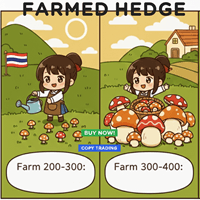
A pair is normally considered when the Farm Index reaches a chosen threshold and the sync rate is high enough. Positions are usually closed when the index moves back towards a lower level, or when your own profit or loss limit is reached. The dashboard also offers a summary panel with suggested pairs, a wind gauge that indicates how active the gap is, and a progress bar that shows when a shorter scalp-style entry may be available.
The manual workflow is the main design. Automatic handling is an add-on, and you can switch between modes as you go.
Any symbol your broker offers can be scanned: forex majors, minors and exotics, metals such as gold, indices, stocks and crypto CFDs. The suggested working timeframes are H1 and H4. Because it compares symbols rather than reading a single chart, you can also use it as a companion to your own method, for example to check a gold setup against related instruments.
The main inputs are listed below. The ranges are commonly suggested starting points for H1 and H4, not recommendations for your account. Confirm the actual fields and defaults inside the tool and test them on a demo account.
| Setting | Purpose | Starting range to check |
|---|---|---|
| Lot size | Volume traded per pair | Small, such as the minimum lot |
| Farm Index entry | Threshold that triggers an entry signal | 200 to 300 |
| Minimum sync rate | Filters out weakly related pairs | 70 to 80 percent |
| Max open pairs | Limits simultaneous positions | 2 to 3 |
| Auto take profit (FI) | Index level at which to close | 50 to 100 |
| Auto stop loss (FI) | Index level at which to cut a trade | 400 to 500 |
Other controls include a maximum drawdown limit, spread monitoring, a cooldown after a stop loss, and profit or loss targets in account currency.
Pair trades hold opposite positions, but that does not remove risk. Correlations can break down, spreads can widen, and a gap can keep growing well beyond a stop level. Open positions also tie up margin on both legs.
Trading carries risk, and past results do not predict future ones. Test on a demo account first, use position sizes you can afford, and do not rely on any single tool or signal.
Make sure the symbols you want to pair are visible in Market Watch, and check that your account type supports opposite positions on the same symbol.
| Product type | Bot or utility |
|---|---|
| Platform | MetaTrader 5 (not for MT4) |
| Strategy focus | Gold or XAUUSD, Scalping, Signals, Support and resistance |
| Delivery | Download from your account after purchase |
| License key | Not needed |
| Status | Launching soon |
| Category | Utility with an optional automatic mode |
| Approach | Pair trading based on mean reversion between correlated symbols |
| Markets | Forex, metals such as XAUUSD, indices, stocks and crypto CFDs, if your broker lists them |
| Suggested timeframes | H1 to H4 for the main workflow |
| Trade style | Manual-focused, with hybrid and automated options |
| Account type | Hedging account recommended, since pairs need opposite positions |
| Requirements | MT5 terminal, broker with the symbols you want to pair, stable connection |
No reviews yet. Customers who own FarmedHedge Pair Trading Dashboard can review it here.
No. It is built mainly as a manual trading utility. It has an optional automatic mode that can open and close pair trades, but it is not designed as a set-and-forget system. You should be prepared to watch the dashboard and manage positions yourself.
No. This listing is for MetaTrader 5 only. It will not load in MT4, so check that your broker offers an MT5 account before buying.
It is meant to work with the symbols available on your own broker account, such as forex pairs, gold, indices and crypto CFDs. Symbol names, spreads and contract sizes differ between brokers, so test on a demo account with your broker first.
You can run it in the MT5 Strategy Tester in visual mode and press the trade and close buttons by hand to see how the dashboard behaves. This is a good way to learn the layout before using a demo or live account.
The tool exposes lot size, Farm Index entry and exit levels, a minimum sync rate, a limit on open pairs and stop levels. Start with small volume and conservative limits on a demo account, then adjust to your own risk tolerance. Check the in-tool guides for the exact ranges that apply to your build.
If you want the automatic mode to keep working around the clock, the terminal has to stay connected and running. A VPS is a common way to do that, but it is optional if you only trade by hand.
FarmedHedge Pair Trading Dashboard
Notify me at launchQuestions about this tool?
Ask us on Telegram Install guide for MT4 and MT5 Get a custom version builtFree, practical help with testing, sizing and running expert advisors.
More MT5 tools with a similar focus.






Own FarmedHedge Pair Trading Dashboard? Sign in to review it.