

Available soon
FVG EA Pro is an MT5 expert advisor that trades fair value gaps in combination with market structure, with time windows, flexible exits and built-in daily risk controls. It suits traders who are comfortable testing and tuning settings.
Get one message the moment it launches, with its price.
FVG EA Pro is an expert advisor for MetaTrader 5 that automates a smart money concept approach. It looks for fair value gaps, reads market structure to decide the trend direction, and places trades according to rules you configure.
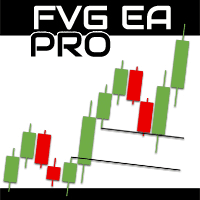
A fair value gap is a three-candle pattern where price moves quickly and leaves a range that was not fully traded. The EA uses these gaps as entry criteria and combines them with swing structure, so that trades are taken in line with the structure it detects rather than on the gap alone. A higher-timeframe filter can be added to keep entries aligned with the wider picture.
Lot size can be a fixed value or a percentage of balance or equity. The EA also has a daily drawdown limit and an optional daily profit target. When one is reached, it stops placing new orders and closes active ones. A news filter can pause trading around high-impact events.
The EA is configurable across symbols and timeframes. Price data, spreads and execution differ between brokers, so test on the symbols and the broker you intend to use rather than assuming one set of values suits every account.
The exact input names and defaults depend on the version you install, so read the input tab in MT5 and any guide or set files provided by the author. The main groups are:
| Group | What it controls |
|---|---|
| Entry rules | FVG and market structure conditions, higher-timeframe filter, order type |
| Time | Trading windows, allowed days, time-based exit |
| Volume | Fixed lot or percentage of balance or equity |
| Exits | Stop loss, take profit, break-even, partial closes, trailing stop |
| Protection | Daily drawdown limit, daily profit target, news filter |
Run the Strategy Tester first, then a demo account, and only then consider live use with a risk level you can afford.
Trading carries risk, and you can lose some or all of your capital. Back-test results and past performance do not predict future results. Test on a demo account before using real funds.
| Product type | Expert Advisor |
|---|---|
| Platform | MetaTrader 5 (expert advisor) |
| Strategy focus | Trend, Volume |
| Delivery | Download from your account after purchase |
| License key | Not needed |
| Status | Launching soon |
| Category | Expert advisor, smart money concept / FVG |
| Strategy tags | Trend, volume |
| Markets | Forex and other symbols; check your broker's data and spreads |
| Timeframes | Configurable; entry and higher-timeframe filter can differ |
| Order types | Market, limit and stop orders |
| Position sizing | Fixed lot or percentage of balance or equity |
| Requirements | MT5 with algo trading on; testing and optimisation skills advised |
No reviews yet. Customers who own FVG EA Pro can review it here.
This listing is for MetaTrader 5. An expert advisor built for one platform will not run on the other, so use it only in MT5.
Extract the download, copy the expert advisor file into the MQL5/Experts folder via File > Open Data Folder in MT5, then restart the terminal or refresh the Navigator. Drag it onto a chart and make sure algo trading is enabled.
Yes, plan to. The EA has many options and price data differs between brokers, so back-test on your own broker's history and adjust the settings before running it on a live account.
Yes. It has trading window settings so entries can be limited to chosen sessions, such as kill zones or Silver Bullet style windows, and you can also pick which days of the week it may trade.
The EA includes a daily drawdown control and an optional daily profit target. When either is reached it stops opening new orders and closes active ones. Check the exact behaviour in a demo test first.
There is no fixed requirement that we can state. Because position size can be set as a percentage of balance or equity, it can be used on different account sizes. Check minimum lot sizes, spreads and execution with your broker.
FVG EA Pro
Notify me at launchQuestions about this tool?
Ask us on Telegram Install guide for MT4 and MT5 Get a custom version builtFree, practical help with testing, sizing and running expert advisors.
More MT5 tools with a similar focus.











Own FVG EA Pro? Sign in to review it.