


Available soon
Range Breakout EA is an MT5 expert advisor that measures a price range between two times you set, then places pending orders above and below it to trade the breakout. It includes risk-based lot sizing, break-even, trailing stop and range filters.
Get one message the moment it launches, with its price.
Range Breakout EA is an expert advisor for MetaTrader 5 that trades the breakout of a time-based price range. You choose when the range starts and ends, and the EA then waits for price to leave it in either direction.
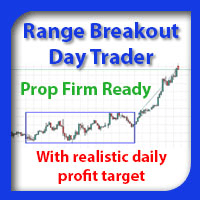
Each day the EA records the highest high and lowest low between your chosen start and end times. Once the range is complete, it places a pending buy order above the range and a pending sell order below it. An optional buffer, set in points, moves both orders further away from the range edges to reduce the chance of entries on small wicks.
The idea behind the approach is that markets often settle on a direction after an opening period and then keep moving in it for part of the day. The time window is fully adjustable, so the same logic can be applied to other sessions or any time range you want to study.
The EA can be attached to any symbol available in your MT5 terminal, including forex pairs and index CFDs. The range itself is calculated from a chart timeframe set in the inputs. M1 data gives the most precise range, so make sure your broker provides a full M1 history, especially when backtesting. Spreads, session hours and server time differ between brokers, so check these before choosing your time settings.
The main input groups are listed below. Exact default values depend on the version you download, so review them in the input window before use.
| Group | What it controls |
|---|---|
| General | Range timeframe, lot size mode, fixed lots, risk percent or money, order buffer, take profit and stop loss modes and values |
| Time | Range start and end, time to delete pending orders, optional time to close positions |
| Trailing stop | Break-even trigger and buffer, trailing trigger, distance and step |
| Trading frequency | Maximum long, short and total trades per day |
| Range filter | Minimum and maximum range size in points or percent |
| More | Range colour, order comment, magic number, chart comment |
Fixed mode uses the same lot size every trade. Managed mode scales a set lot size per block of account money. Percent and money modes size the trade so that the initial stop loss risks a chosen share of the balance or a chosen amount. These modes need a stop loss to be active, so check your stop settings if you use them.
Breakout entries can be stopped out repeatedly in quiet or choppy markets, and gaps or wide spreads can cause fills away from your intended price. Keep position sizes modest, and use the daily trade limits and range filters to control exposure.
Trading carries risk, and you can lose some or all of your capital. Past results, including backtests, do not predict future ones. Test on a demo account first.
| Product type | Expert Advisor |
|---|---|
| Platform | MetaTrader 5 (expert advisor) |
| Strategy focus | Trend, Grid, Breakout, Volume |
| Delivery | Download from your account after purchase |
| License key | Not needed |
| Status | Launching soon |
| Category | Expert advisor, time range breakout |
| Markets | Any symbol with suitable data, such as forex pairs and indices |
| Timeframes | Range calculated from M1 data; can be attached to any chart |
| Trade style | Intraday breakout with pending orders |
| Position sizing | Fixed, managed, percent risk or money risk |
| Exit management | TP, SL, break-even, trailing stop, timed close |
| Requirements | Algo trading enabled, account that allows EAs |
No reviews yet. Customers who own Range Breakout EA can review it here.
No. This listing is for MetaTrader 5 only. It will not load in MetaTrader 4, so check that your broker offers an MT5 account before you buy.
There is no single correct answer. The range start, range end, order deletion and position close times are all inputs. Check whether your broker's server time differs from your local time, then test different windows in the Strategy Tester before using real money.
Copy the expert advisor file into the MQL5/Experts folder via File > Open Data Folder in MetaTrader 5, restart the terminal or refresh the Navigator, then drag the EA onto a chart. Make sure Algo Trading is switched on in the toolbar and in the EA's properties.
Yes, you can attach it to several charts. Give each chart a different magic number so each copy only manages its own orders and positions.
The default inputs are only a starting point and may not suit your symbol or broker. Test your own settings on quality historical data, including M1 data, and trade a demo account first.
You can set minimum and maximum range sizes in points or percent. Ranges outside those limits are ignored for that day, so no orders are placed.
Range Breakout EA
Notify me at launchQuestions about this tool?
Ask us on Telegram Install guide for MT4 and MT5 Get a custom version builtFree, practical help with testing, sizing and running expert advisors.
More MT5 tools with a similar focus.










Own Range Breakout EA? Sign in to review it.