
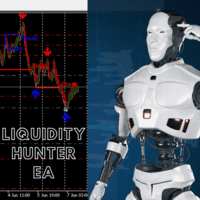

Available soon
Liquidity Hunter is an MT5 expert advisor that marks swing highs and lows as liquidity zones and places pending limit orders near them. It adds a trend filter, trailing stop, break-even, three take-profit levels and drawdown limits.
Get one message the moment it launches, with its price.
Liquidity Hunter is an expert advisor for MetaTrader 5 that looks for areas where stop orders tend to cluster, such as just beyond recent swing highs and lows, and places pending limit orders around them. It borrows ideas from Smart Money Concepts and combines them with a trend filter, volume information and a set of position management tools.
The EA scans price history for swing highs and swing lows, and also for internal levels inside a range. These levels are treated as liquidity zones, based on the idea that resting stop orders sit beyond them. When price approaches a zone, the EA prepares a limit order instead of entering at market, so a trade only opens if price actually reaches the planned level.
A simple moving average filter can be used to keep entries aligned with the prevailing direction. The EA can also show volume profile information at key levels, which gives extra context when you review a zone. Swing high and swing low alerts are available if you prefer to follow the levels manually.
The product information does not give a fixed list of symbols or timeframes, so check the inputs and run your own tests before choosing. Logic based on swings and volume generally works best on liquid instruments with reliable price and volume data, and results will vary with spread, execution speed and the quality of your broker's history. Use the Strategy Tester with realistic tick data and then a demo account to see how it behaves on your chosen symbol.
Exact input names and default values appear on the Inputs tab when you attach the EA. The table below describes the groups of settings you should look at.
| Setting group | What to check |
|---|---|
| Position sizing and risk | How lot size or risk per trade is set, and whether it suits your account |
| Swing detection | How swing highs, lows and internal levels are identified |
| Trend filter | Moving average period and whether the filter is switched on |
| Take-profit levels | Distances and share of the position closed at TP1, TP2 and TP3 |
| Trailing stop and break-even | Trigger distance and step size |
| Fibonacci adjustment | Which extension levels are used to modify stops and targets |
| Drawdown limits | Daily and account limits and how they are measured |
| Alerts | Swing alerts and notification options |
Trading carries risk, and you can lose some or all of your capital. Past results, including back tests, do not predict future ones. Test the EA on a demo account first and make sure you understand every risk setting before using real funds.
Limit orders may not be filled, or may be filled at a different price during fast markets, and stops can slip. Drawdown limits can help control losses but cannot remove the risk of gaps or execution problems. If you use the EA on a prop firm account, read the firm's rules yourself and confirm the settings match them.
| Product type | Expert Advisor |
|---|---|
| Platform | MetaTrader 5 |
| Strategy focus | Trend, Support and resistance, Volume |
| Delivery | Download from your account after purchase |
| License key | Not needed |
| Status | Launching soon |
| Category | Expert advisor (automated trading) |
| Strategy tags | Trend, support and resistance, volume |
| Order type | Pending limit orders |
| Trade management | Trailing stop, break-even, up to three take-profit levels |
| Risk controls | Configurable daily and account drawdown limits |
| Markets and timeframes | Check the inputs and test on your own symbols first |
| Requirements | Algo trading enabled; demo testing recommended |
No reviews yet. Customers who own Liquidity Hunter can review it here.
No. This product is built for MetaTrader 5 only and cannot be attached to an MT4 terminal. If you trade on MT4, you would need a separate MT4 product.
Download the file after purchase, open MT5, choose File and then Open Data Folder, and copy the expert advisor into the MQL5 Experts folder. Restart the terminal or refresh the Navigator, drag the EA onto a chart and make sure algo trading is enabled. Then review the inputs before running it.
The EA includes configurable daily and account drawdown limits, which some traders use to stay inside firm rules. Rules differ between firms, so you should read your firm's conditions and confirm that the settings and the order handling match them before trading.
The exact input names and default values are shown on the Inputs tab once the EA is attached to a chart. Start with the Strategy Tester and a demo account, and adjust risk, trend filter and drawdown limits to suit your broker, symbol and account size.
The author releases updates from time to time. Check the product page and your download area for the latest file, and re-test on a demo account after replacing an older copy.
Liquidity Hunter
Notify me at launchQuestions about this tool?
Ask us on Telegram Install guide for MT4 and MT5 Get a custom version builtFree, practical help with testing, sizing and running expert advisors.
More MT5 tools with a similar focus.










Own Liquidity Hunter? Sign in to review it.