


Available soon
Mystic Gold MT5 is an automated expert advisor built only for XAUUSD on MetaTrader 5. It mixes trend-following and short-term scalping logic with trailing stops and end-of-day position handling.
Get one message the moment it launches, with its price.
Mystic Gold MT5 is a fully automated expert advisor for MetaTrader 5 that trades one instrument: gold against the US dollar (XAUUSD). It combines trend-following and scalping ideas, aiming at short moves when the market is active.
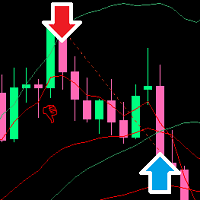
The EA looks for possible reversal zones and checks them against volatility and market-structure conditions before it opens a position. After entry it keeps watching the market. A trailing stop follows price once a trade has moved far enough, and a position can be closed early if the structure that justified it appears to have changed.
There is also an end-of-day control. You set a start time and an end time for trading, and the EA can close open positions when the end time arrives, which reduces the chance of holding trades overnight.
The inputs are short and easy to read. The values below are the typical starting points given for this product. Always confirm the actual defaults in the inputs window after loading the EA, because your broker and account type may call for changes.
| Input | Purpose | Typical starting point |
|---|---|---|
| Max Spread | Blocks new trades when spread is too wide | 30 to 60 points, above your average spread |
| Fixed Lot | Manual lot size; 0 switches on auto lot | 0.0 |
| Auto Lot | Scales lot size with balance | 1.0 to 3.0 |
| Take Profit | Target distance in points | Check in the inputs |
| Stop Loss | Protective distance in points | Check in the inputs |
| Trailing and Start Trailing | Trailing step and the profit needed to begin | Check in the inputs |
| Max Trades | Limit on open positions | Check in the inputs |
| Time Start / Time End | Daily trading window | Set to your broker's server time |
| Close at Time End | Closes positions when the window ends | On or off as you prefer |
| Magic Number | Identifies the EA's trades | Any unique number |
If Fixed Lot is above zero and is a valid size for your broker, the EA uses it. If Fixed Lot is zero and Auto Lot is above zero, the lot size is calculated from your balance and the Auto Lot value. A value of 1 corresponds to about 0.01 lots per 1,000 units of balance.
If your broker shows gold with three decimals, such as 2300.123, the point value is ten times smaller. Distance-based inputs like Max Spread, Take Profit and Trailing then need to be multiplied by ten.
Trading carries risk, and you can lose some or all of your deposit. Past results, including back-tests, do not predict future ones. Test on a demo account first, size your lots to your balance, and never trade money you cannot afford to lose.
Before going live, check your broker's gold spread, contract specification and server time against the inputs, and run the EA on a demo account for a while.
| Product type | Expert Advisor |
|---|---|
| Platform | MetaTrader 5 (expert advisor, .ex5) |
| Strategy focus | Gold or XAUUSD, Scalping, Signals, Trend |
| Delivery | Download from your account after purchase |
| License key | Not needed |
| Status | Launching soon |
| Category | Expert advisor, fully automated |
| Market | Gold (XAUUSD) only |
| Timeframes | Any; the logic is not tied to one chart period |
| Trade style | Trend-following and short-term scalping |
| Account | Hedging account preferred; ECN or raw spread suggested |
| Suggested balance | Around 500 USD or more, depending on your lot settings |
| Hosting | Low-latency VPS recommended |
No reviews yet. Customers who own Mystic Gold MT5 can review it here.
No. This is an MT5 expert advisor and will only run on MetaTrader 5. It will not load in MT4.
It is designed for gold, quoted as XAUUSD. Your broker may add a suffix to the symbol name, which is usually fine, but check that the instrument is spot gold against the US dollar. Do not attach it to forex pairs or indices.
The point size is different on three-decimal quotes, so distance-based inputs such as maximum spread, take profit and trailing values need to be scaled up by a factor of ten compared with a two-decimal broker. Check the exact inputs in the settings window and test on a demo account first.
The tool is meant to be used with its default inputs, so heavy optimisation is not part of the intended workflow. You should still review the lot size, spread limit and trading hours against your own account and broker.
A hedging account with low, stable spreads on gold is preferred, such as an ECN or raw spread account. A VPS with low latency helps with execution. Wide spreads or slow connections can affect results.
Extract the download, copy the EA file into the Experts folder via File, Open Data Folder, MQL5, Experts, then restart MetaTrader 5 or refresh the Navigator. Drag it onto an XAUUSD chart and allow algorithmic trading.
Mystic Gold MT5
Notify me at launchQuestions about this tool?
Ask us on Telegram Install guide for MT4 and MT5 Get a custom version builtFree, practical help with testing, sizing and running expert advisors.
More MT5 tools with a similar focus.










Own Mystic Gold MT5? Sign in to review it.