


Available soon
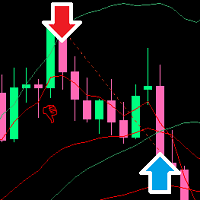
Precision Sniper EA is an MT5 expert advisor that scores each trade setup from several indicator conditions and only trades those that pass a grade filter. It manages stops and targets virtually and includes presets for gold, forex, indices and crypto.
Get one message the moment it launches, with its price.
Precision Sniper EA is an expert advisor for MetaTrader 5 that looks for trend-following entries by checking several indicator conditions at once and giving each setup a score. Only setups that reach the score and grade you choose are traded.
The EA reads moving average crossovers, RSI momentum, the MACD histogram, ADX trend strength and volume. Each condition adds to a buy or sell score on a 10-point scale, and the result is shown as a grade of A+, A or B. A grade filter then decides which signals may be executed. With the default filter all signals scoring 5 or more can trade, while stricter settings need roughly 6.5 or 8 and above. A hide option keeps signals scoring below 5 from ever being traded.
You can select a second timeframe. When it is active, the EA only takes entries that agree with the moving average alignment on that timeframe. Leaving it on the current period turns the filter off.
The stop loss can be placed just beyond the nearest recent swing high or low, or at a distance based on ATR. Three take-profit levels are available, and the exit mode can close the whole position at one level, close in parts with the stop moved after each target, or trail the position with a pip-based or ATR-based step. Stops and targets are virtual: they are managed by the EA and not sent to the broker.
An economic calendar filter can block new entries around events of the impact level you select, and it can send a push notification when news approaches while a trade is open. A cooldown setting enforces a minimum number of bars between signals to reduce repeated entries in choppy conditions.
The EA can be attached to forex pairs, gold, indices and crypto symbols, on any timeframe from M1 to Monthly. Built-in presets cover scalping, aggressive, default, conservative, swing, crypto and gold styles, and Auto chooses one from the chart timeframe. The Custom preset exposes each indicator period for manual tuning.
Defaults that are known are listed below. Check the input tab in your terminal for the full list, including the news, trailing and lot-size options.
| Input | Default | Purpose |
|---|---|---|
| Preset | Default | Chooses the trading style and indicator periods |
| HTF | Current period (off) | Higher timeframe bias filter |
| CooldownBars | 5 | Minimum bars between signals |
| StructureSL | true | Swing-based stop instead of ATR stop |
| SwingLB | 10 | Bars scanned for swing levels |
| GradeFilter | All Signals | Minimum grade needed to trade |
| HideCGrade | true | Blocks signals scoring under 5 |
Lot size can be fixed or calculated from a percentage of balance and the stop distance. Before each order the EA checks free margin with a safety buffer and skips the trade if it is too low.
A panel on the chart shows the symbol, timeframe, preset, trend direction, current score and grade, higher timeframe bias, RSI, ADX, volatility regime and the floating result of an open trade in R-multiples.
Trading carries risk and you can lose part or all of your capital. Past results, including any tests, do not predict future ones. Because stops are virtual, a closed terminal or lost connection leaves a position without protection. Test on a demo account first and size positions carefully.
| Product type | Expert Advisor |
|---|---|
| Platform | MetaTrader 5 (not for MT4) |
| Strategy focus | Gold or XAUUSD, Scalping, Signals, Trend |
| Delivery | Download from your account after purchase |
| License key | Not needed |
| Status | Launching soon |
| Category | Expert advisor |
| Markets | Forex pairs, gold (XAUUSD), indices and crypto, subject to broker symbols |
| Timeframes | M1 to Monthly; the Auto preset adapts to the chart timeframe |
| Trade style | Multi-confluence trend entries, scalping to swing depending on preset |
| Stops and targets | Virtual SL and TP handled inside the EA, three TP levels |
| Position sizing | Fixed lot or percentage of balance based on stop distance |
| Requirements | Algo trading enabled and the terminal kept running |
No reviews yet. Customers who own Precision Sniper EA can review it here.
No. This product is built for MetaTrader 5 only. It will not load in MetaTrader 4, so make sure your broker offers an MT5 account before you buy.
Open MT5, choose File and then Open Data Folder, and copy the expert file into MQL5/Experts. Restart the terminal or refresh the Navigator, drag the EA onto a chart, and allow algorithmic trading in the toolbar and in the EA properties.
The default preset is a general starting point, and the Auto preset picks a style from the chart timeframe. There is also a Gold preset for XAUUSD. Test any choice on a demo account or in the Strategy Tester before using real funds.
No, the levels are kept inside the EA and checked on every tick rather than being sent with the order. This also means that if the terminal is closed or loses its connection, no stop is active, so a stable setup such as a VPS is worth considering.
No minimum deposit is stated, so check your broker's contract specifications for the symbol you trade. The EA checks free margin before each order and skips the trade if margin is not sufficient.
The filter relies on economic calendar data available in your terminal. Check that calendar events load for your symbols and test the filter settings before relying on it.
Precision Sniper EA
Notify me at launchQuestions about this tool?
Ask us on Telegram Install guide for MT4 and MT5 Get a custom version builtFree, practical help with testing, sizing and running expert advisors.
More MT5 tools with a similar focus.









Own Precision Sniper EA? Sign in to review it.