

Available soon
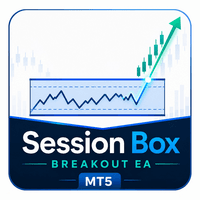
Session Box Breakout EA is an MT5 expert advisor that marks the high and low of a session you define and can open a trade after a candle closes beyond that range. It includes several lot size modes, filters and a daily loss limit.
Get one message the moment it launches, with its price.
Session Box Breakout EA is an automated expert advisor for MetaTrader 5. It measures the high and low of a trading session that you define, treats that area as a box, and can place a trade when a candle closes outside it.
During the session window you choose, the EA tracks the highest high and lowest low. Once the window ends, those two levels act as support and resistance. A trade is considered only after a candle closes above the high or below the low, so a brief spike through the level does not trigger an entry on its own.
Sessions are set in hours and minutes. A window that runs past midnight, such as 23:00 to 01:00, is handled automatically. Every time value is read as broker server time, so confirm your broker's offset before you set anything.
Lot size can be fixed, based on account balance, based on a percentage of risk, or based on a money amount per trade. The risk-based modes use the stop loss distance and the symbol's tick value, and a margin check runs before an order is sent. Stop loss and take profit are configured independently, using a multiple of the session range, a percentage of the entry price or a fixed distance in points.
A daily loss limit counts closed deals, commission, swap and the current floating result, measured against the balance at the start of the day. Break-even and trailing stop functions can move the stop after a trigger that you set in points or as a percentage.
The EA is not tied to one instrument. Session behaviour differs a lot between forex pairs, indices and metals, and broker conditions such as spread, swap and server time also change the outcome. Run tests on each symbol and timeframe you plan to use.
Exact defaults can differ between releases, so open the inputs tab and read each field before trading. The main groups are:
| Group | What to check |
|---|---|
| Session | Start and end time in broker server time |
| Lot size | Mode, fixed lot, risk percent or money amount |
| Stop loss and take profit | Method and value for each, set separately |
| Daily limits | Daily loss limit, trade limit, Friday cutoff, daily close |
| Filters | ATR, EMA, spread and weekday options |
| Stop management | Break-even and trailing trigger and distance |
Use the Strategy Tester and a demo account to see how your chosen session, filters and risk mode behave before you consider live use. The debug mode can help you see why a signal was taken or skipped.
Trading carries risk, and you can lose some or all of your capital. Past results, including tester results, do not predict future ones. This EA does not guarantee any outcome, so choose settings that fit your own risk tolerance.
| Product type | Expert Advisor |
|---|---|
| Platform | MetaTrader 5 (expert advisor) |
| Strategy focus | Trend, Support and resistance, Breakout |
| Delivery | Download from your account after purchase |
| License key | Not needed |
| Status | Launching soon |
| Category | Expert advisor, fully automated |
| Strategy | Session range breakout with trend and support/resistance logic |
| Markets | Any symbol offered by your broker; test each one first |
| Timeframes | Selectable; check results on your chosen chart in the tester |
| Time basis | Broker server time |
| Position sizing | Fixed, balance-based, percent risk, money risk |
| Requirements | Algo trading enabled; a hedging or netting account that allows EAs |
No reviews yet. Customers who own Session Box Breakout EA MT5 can review it here.
No. This product is built for MetaTrader 5 only. It will not load in MT4, so check that your broker offers an MT5 account before buying.
All session times use your broker's server time, not your local time. Look at the Market Watch clock or the time of the latest candle to see what your broker uses, then set the start and end times to match the session you want to measure.
Yes. A range such as 23:00 to 01:00 broker time is supported, and the EA works out the high and low across the date change on its own.
There are no universal values. Start in the Strategy Tester on the symbol and timeframe you plan to trade, using your broker's tick data and spreads if possible. Pick a lot size mode that matches how much you are prepared to lose per trade, and check minimum lot and margin rules with your broker.
Copy the downloaded files into the MQL5/Experts folder via File > Open Data Folder in MT5, refresh the Navigator or restart the terminal, then drag the EA onto a chart. Make sure Algo Trading is switched on and automated trading is allowed in the options.
No. Trading carries risk, and past results do not predict future ones. Test thoroughly and consider a demo account before using it live.
Session Box Breakout EA MT5
Notify me at launchQuestions about this tool?
Ask us on Telegram Install guide for MT4 and MT5 Get a custom version builtFree, practical help with testing, sizing and running expert advisors.
More MT5 tools with a similar focus.











Own Session Box Breakout EA MT5? Sign in to review it.