


Available soon
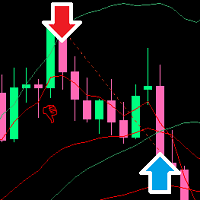
Virtual Trendline Scalper is an MT5 expert advisor that tracks virtual trendlines and virtual trades before opening real positions, aimed at frequent scalping on forex pairs and gold. It uses position scaling, so risk needs careful control.
Get one message the moment it launches, with its price.
Virtual Trendline Scalper is an expert advisor for MetaTrader 5 that trades frequently on short timeframes. Rather than entering on the first signal, it draws trendlines on the chart and runs virtual trades against them, and only opens a real order when the setup meets its conditions.
The core idea is a filter. The EA places trendlines internally and simulates trades on them without sending orders to the broker. When a virtual trade reaches a point the logic considers suitable, a real position follows. The aim is to avoid entering at random points in the market, although no filter removes the chance of a losing trade.
After the first position, the EA can add further positions in the same direction. Each new one is separated from the last by a minimum distance in pips, and its lot size is scaled by a multiplier. This is a martingale-style approach, so exposure can grow quickly in a persistent trend against you.
The default settings are aimed at forex pairs, including majors and several crosses such as EURUSD, GBPJPY and NZDUSD. Gold (XAUUSD) is also a listed use case, but it needs its own parameter set because its volatility and spreads differ from forex. Short timeframes such as M5, M15 and M30 are the usual choice. M1 is possible but is more sensitive to spread and slippage. Other timeframes can be used if they suit your style.
The inputs below are the main controls. Exact default values depend on the set file you load, so check them in the inputs tab before trading.
| Input | Purpose |
|---|---|
| Starting lot | Size of the first position |
| Multiplier martingale | Factor applied to the lot of each additional position |
| Min distance in pips | Smallest gap between consecutive trades |
| Stop loss in pips | Stop loss applied to positions |
| Max lot martingale | Upper limit for a single position's lot size |
| Max buys / Max sells | Limits on open positions in each direction |
| Min TP in money / pips | Minimum profit target for a basket or a single position |
| After X positions enable overlap | Number of open positions before overlap closing starts |
| Double overlap | Closes two winners against one loser after a set count |
| Close all if loss is greater than | Money-based loss limit for all trades |
| Magic number | Separates trades between charts |
This EA is processing-heavy, so the Strategy Tester runs slowly. Use every tick or real ticks. Control points mode only evaluates at candle closes, which is not how the EA operates, so its results are not representative. Test on a demo account with your own broker's spreads before using real money.
Trading carries risk, and past results do not predict future ones. Scaling position sizes with a multiplier can lead to large losses in a strong one-way move. Use lot limits, the loss cut and a sensible account size, and only trade money you can afford to lose.
| Product type | Expert advisor (automated trading) |
|---|---|
| Platform | MetaTrader 5 |
| Strategy focus | Gold or XAUUSD, Scalping, Trend |
| Delivery | Download from your account after purchase |
| License key | Not needed |
| Status | Launching soon |
| Markets | Forex pairs by default; gold (XAUUSD) with a separate set file |
| Timeframes | Short timeframes such as M5, M15 and M30; M1 is higher risk |
| Trade style | Scalping with trendline-based entries and position scaling |
| Position management | Multiplier steps, minimum distance, overlap closing, loss cut |
| Account requirements | Hedging account and a reliable, low-spread broker are advisable |
| Testing note | Heavy on ticks; use every tick or real ticks, not control points |
No reviews yet. Customers who own Virtual Trendline Scalper MT5 can review it here.
No. This product is built for MetaTrader 5 only. It will not load in MetaTrader 4, so check which platform your broker account uses before buying.
The default settings are intended for forex pairs. Gold (XAUUSD) needs its own parameter set, because price movement and spreads differ. Check the product page for the gold set and test it on a demo account first.
The expert advisor tracks many variables and draws a lot of objects on the chart, so each tick takes longer to process. Run the Strategy Tester in every tick or real ticks mode. Control points mode acts only at candle closes, which does not reflect how this EA behaves, so those results can mislead.
Attach it to each chart separately and give every chart a different magic number in the inputs. This stops one instance from managing the trades of another.
The exact minimum depends on the lot size, multiplier and symbol you choose, so check the recommended balance on the product page and test on demo. A broker with tight spreads, fast execution and a hedging account type generally suits a scalping tool like this.
Download the file, open MetaTrader 5, choose File then Open Data Folder, and place the expert advisor in the MQL5 then Experts folder. Restart the terminal or refresh the Navigator, enable Algo Trading, and drag the expert onto a chart.
Virtual Trendline Scalper MT5
Notify me at launchQuestions about this tool?
Ask us on Telegram Install guide for MT4 and MT5 Get a custom version builtFree, practical help with testing, sizing and running expert advisors.
More MT5 tools with a similar focus.










Own Virtual Trendline Scalper MT5? Sign in to review it.