
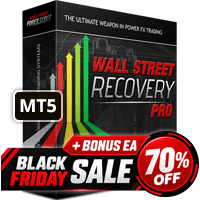

Available soon
WallStreet Recovery PRO is an MT5 expert advisor that trades seven major forex pairs on M15 and manages open trades with a recovery routine, spread and news filters, and drawdown limits. Default inputs are built in, so no set files are needed.
Get one message the moment it launches, with its price.
WallStreet Recovery PRO is a fully automated expert advisor for MetaTrader 5. It trades a basket of major forex pairs on the M15 chart and combines entry logic with a recovery routine that manages open positions, plus filters that stop it trading when spread, slippage or news conditions look poor.
The EA looks for short-term entries on M15 and then manages each trade through its own exit and recovery logic. Stop loss and take profit levels are adjusted to current volatility rather than fixed in pips. When a trade moves against the account, the recovery module works to bring the cycle back to a net result by handling follow-up positions in a controlled way. Methods of this kind can keep losing positions open for some time and can increase exposure, so the lot size and drawdown inputs deserve close attention.
The supported symbols are EURUSD, GBPUSD, USDJPY, AUDUSD, USDCHF, USDCAD and NZDUSD. The recommended chart is M15. Defaults for each supported pair are built in, so no set files need to be loaded. Confirm that your broker's symbol names match, and adjust for suffixes if they do not.
Defaults are intended to work as they are. The inputs below are the ones most users will review. Exact values and ranges are shown in the EA's input tab, so check them there rather than relying on this page.
| Input | Purpose |
|---|---|
| Magic | Identifier the EA uses to recognise its own positions. Use a different value for each EA on the account. |
| EA_Comment | Optional text used to label this EA's trades. |
| MaxSpread | Largest spread at which new trades may be opened. |
| MaxSpreadExit | Spread limit that controls when trades may be closed. |
| Slippage | Maximum slippage allowed on execution. |
| StealthMode | Keeps stop loss and take profit in the EA instead of on the server. |
| EmergencyStopDist | Second protection level for use with stealth mode. Read the input description before enabling. |
| WinLargeFonts | Adjusts the information panel if Windows large fonts are in use. |
With stealth mode on, protective orders are not held by the broker, so a lost connection or a stopped EA leaves positions unprotected. A VPS is sensible for continuous running. Always test on a demo account first and size positions to an amount you can afford to lose.
Trading carries risk, and you can lose some or all of your capital. Past results, including backtests and signal histories, do not predict future ones. Recovery and grid-style management can lead to larger drawdowns than the average trade suggests.
For testing, use the Strategy Tester with M15 and every tick modelling for the most reliable picture, or M1 with open prices for a quick check.
| Product type | Expert Advisor |
|---|---|
| Platform | MetaTrader 5 (a separate MT4 build exists) |
| Strategy focus | Scalping, Signals, Grid |
| Delivery | Download from your account after purchase |
| License key | Not needed |
| Status | Launching soon |
| Category | Expert advisor, fully automated |
| Strategy tags | Scalping, signals, grid-style recovery |
| Markets | EURUSD, GBPUSD, USDJPY, AUDUSD, USDCHF, USDCAD, NZDUSD |
| Recommended timeframe | M15 |
| Set files | Not required; defaults are integrated |
| Backtesting | M15 every tick for accuracy; M1 open prices for a quick check |
| Requirements | MT5 terminal, Algo Trading enabled, stable connection or VPS |
No reviews yet. Customers who own WallStreet Recovery PRO MT5 can review it here.
This listing is for MetaTrader 5. The author also offers a separate MT4 build, but it is a different product and will not run on MT5. Check that your terminal is MT5 before installing.
No. Optimised parameters for the supported pairs are integrated into the EA, so you attach it to a chart and it picks up its own defaults. You can still change inputs, but test any change on a demo account first.
The recommended timeframe is M15, with EURUSD, GBPUSD, USDJPY, AUDUSD, USDCHF, USDCAD and NZDUSD. Open one M15 chart per pair you want to trade. Symbol names can differ by broker, so check for suffixes or prefixes.
It is designed to run on standard MT5 accounts, including ECN and STP types. Prop firms set their own rules on EAs, drawdown, news trading and holding trades, so read your firm's terms and test on a demo account before using it on a challenge.
Stealth mode keeps stop loss and take profit levels inside the EA instead of sending them to the server. If the terminal disconnects or the EA stops, those trades have no server-side protection. Use a reliable VPS and consider the emergency stop distance input.
Yes, provided each EA uses a different Magic number. The Magic input is how this EA recognises its own positions, so duplicate values can cause trades to be mixed up.
WallStreet Recovery PRO MT5
Notify me at launchQuestions about this tool?
Ask us on Telegram Install guide for MT4 and MT5 Get a custom version builtFree, practical help with testing, sizing and running expert advisors.
More MT5 tools with a similar focus.










Own WallStreet Recovery PRO MT5? Sign in to review it.