
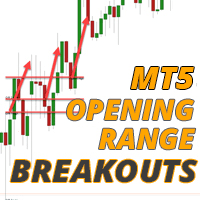

Available soon
Opening Range Breakout MT5 is an expert advisor that places pending orders around the opening range of stock indices and manages the trade with trailing and breakeven stops. It can also be set up for other time windows.
Get one message the moment it launches, with its price.
Opening Range Breakout MT5 is an expert advisor that trades the first directional move after a market opens. It marks the high and low of a short opening window, places pending orders beyond those levels, and then manages any open position with a trailing stop.
Stock indices open at the same clock time every day, and activity often jumps in the first minutes. The EA records the highest and lowest prices during a window you define, commonly the first few minutes of the session. When the window closes, it sets orders just outside the range so that a break in either direction can start a trade.
After that, two outcomes are common. On some days price rotates back and forth inside or around the range, and the strategy tends to produce small losses or close to breakeven results. On other days price trends in one direction for a long time, and the trailing stop lets a position stay open while the move continues. Neither outcome can be predicted in advance.
The main use is on stock index symbols such as the DAX, Dow, Nasdaq and S&P 500. M5 is the timeframe most users run, although the EA can be configured for others. Since the trading window is an input, it can also be used for other recurring ranges, such as the Asian session in forex, or to place orders at recent highs and lows ahead of a scheduled news release.
The default inputs are not meant to be used as they are. Load a preset suited to your symbol, or build and test your own. Symbol names, contract sizes and server time zones differ between brokers, so review each group below before trading live.
| Setting area | What to check |
|---|---|
| Session start time | Match the index open to your broker's server time, including daylight saving changes |
| Range length | How many minutes are used to build the opening high and low |
| Risk per trade | Lot size or percentage risk, relative to your balance and the symbol's volatility |
| Stop and trailing | Initial stop distance, trailing behaviour and the breakeven trigger |
| Daily gain target | Whether positions close automatically at a set account gain |
| Trading hours | Time limits for placing orders and for closing positions |
Breakout systems can suffer a run of false breakouts, and stops can be filled at worse prices during fast markets or wide spreads. Indices can gap and slip around the open. Test on a demo account or in the Strategy Tester with data from your own broker before using real funds.
Trading carries risk, and you can lose some or all of your capital. Past results, including backtests, do not predict future ones. Only trade with money you can afford to lose.
| Product type | Expert Advisor |
|---|---|
| Platform | MetaTrader 5 |
| Strategy focus | Trend, Breakout |
| Delivery | Download from your account after purchase |
| License key | Not needed |
| Status | Launching soon |
| Category | Expert advisor |
| Strategy | Opening range breakout, trend following |
| Main markets | Stock indices such as DAX, Dow, Nasdaq and S&P 500 |
| Other uses | Any session range, for example Asia in forex, or pre-news orders |
| Timeframe | M5 is the usual choice; other timeframes can be set |
| Order type | Pending orders at the range high and low |
| Requirements | Algo trading enabled; broker must offer your chosen index symbols |
No reviews yet. Customers who own Opening Range Breakout MT5 can review it here.
No. This file is built for MetaTrader 5 and will not load in MT4. The same author has published a separate MT4 edition, so check that you are buying the build that matches your platform.
No. The defaults are not tuned for any particular index. Load a preset made for the symbol you trade, or build your own after testing. Start by checking the session open time, the range length and the risk inputs.
It is designed mainly for stock indices that open at a fixed time each day, such as the DAX, Dow, Nasdaq and S&P 500. Because the trading window is adjustable, it can also be pointed at other ranges, but you need to test any new market yourself.
Yes, in most cases. The opening range is tied to a clock time, and brokers use different server time zones and daylight saving rules. Confirm the server time of your account and set the start time to match the index open.
Technically it can be attached to any account that allows expert advisors. Check your firm's rules on automated trading, drawdown limits and news trading first, and set the risk inputs well inside those limits. Passing an evaluation is never assured.
Copy the file into the Experts folder via File, Open Data Folder, MQL5, Experts in MT5. Restart the terminal or refresh the Navigator, attach the EA to a chart of your chosen index, turn on Algo Trading and load your preset.
Opening Range Breakout MT5
Notify me at launchQuestions about this tool?
Ask us on Telegram Install guide for MT4 and MT5 Get a custom version builtFree, practical help with testing, sizing and running expert advisors.
More MT5 tools with a similar focus.








Own Opening Range Breakout MT5? Sign in to review it.