
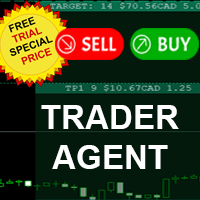

Available soon
Trader Agent is a trade management panel for MetaTrader 5. It handles order entry, visual order setup on the chart, partial exits, break even, trailing stops and equity protection from one interface.
Get one message the moment it launches, with its price.
Trader Agent is a trade management panel for MetaTrader 5. It sits on a chart and brings order entry, exit planning and position protection into one window, so you do not need to switch between several small tools while a trade is running.
The panel is split into five tabs, each covering one part of the trading routine. You place trades manually; the tool then applies the rules you configured to the open position.
Here you choose the lot size by fixed volume, percentage of balance at risk, or a cash amount at risk. You can enter stop loss and take profit in pips, add an order comment and send a buy or sell with one click. A partial close bar lets you close a share of an open position quickly, and a spread readout shows current conditions.
Instead of typing prices, you can build an order on the chart. Entry, stop loss and take profit lines can be dragged to the levels you want, partial exit levels can be added, and the risk-reward ratio is shown before you confirm. Clicking an open order lets you edit it in the same visual way.
This tab defines partial take profit and partial stop loss levels. Each level has its own trigger distance from entry and its own percentage of the position to close, and each can be switched on or off separately.
The panel works on whatever symbols your broker provides in MT5 and on any chart timeframe. Pip values, minimum stop distances and lot steps vary by symbol and broker, so check them on each instrument before relying on preset values.
Exact defaults are not listed here, so review each field in the panel before trading. The table shows the main groups to check.
| Area | What to check |
|---|---|
| Lot size | Mode (fixed, percent risk or cash risk) and the value |
| Stop loss and take profit | Distances in pips for the symbol you trade |
| Partial levels | Trigger distance and close percentage for each level |
| Break even and trailing | Start, buffer, trail distance and step |
| Equity protection | Lower and upper equity thresholds |
| Templates and themes | Saved slots and the colour theme in use |
Trading leveraged products carries a high level of risk, and past results do not predict future ones. Stop losses, trailing rules and equity limits may not execute at the intended price during fast markets or gaps. Test every setting on a demo account first.
Keyboard shortcuts are available for common actions, and a reference list is included in the settings tab.
| Product type | Bot or utility |
|---|---|
| Platform | MetaTrader 5 (Expert Advisor) |
| Strategy focus | General |
| Delivery | Download from your account after purchase |
| License key | Not needed |
| Status | Launching soon |
| Category | Utility: trade management panel |
| Markets | Any symbol offered by your broker, including forex, metals, indices and CFDs |
| Timeframes | Any chart timeframe |
| Trade style | Manual execution with automated management of open positions |
| Lot sizing | Fixed lot, percentage risk or cash risk |
| Order types | Buy, sell, buy limit, buy stop, sell limit, sell stop |
| Requirements | MT5 terminal with algorithmic trading enabled and a connected account |
No reviews yet. Customers who own Trader Agent can review it here.
It is mainly a manual trading panel. You decide when to buy or sell, and the tool places the order with your preset size, stop loss and take profit. Once positions are open, the protection and automation tabs can manage them according to the rules you set, such as break even, trailing stops or equity limits.
This listing is for MetaTrader 5. Before installing, confirm that the file you downloaded is built for MT5 and place it in the MT5 data folder, not the MT4 one. An MT4 terminal cannot load an MT5 program, and the reverse is also true.
It runs inside your own MT5 terminal, so it can work with any broker that offers MT5. Hedging and netting accounts handle positions differently, and brokers differ in stop level, lot step and order rules. Test it on a demo account from the same broker first to see how partial closes and modifications behave.
In MT5 choose File, then Open Data Folder, and copy the Expert Advisor into MQL5/Experts. Restart the terminal or refresh the Navigator, drag the program onto a chart, and make sure algorithmic trading is switched on in the toolbar and in the program's properties.
Check the lot size mode, default stop loss and take profit distances, any partial close percentages, and the break even and trailing values. Pip distances can mean different things on different symbols, so confirm them on each instrument you trade. No settings are recommended here because suitable values depend on your account and strategy.
Yes. The settings tab offers several template slots for storing and recalling setups, along with colour themes and a theme editor for the panel appearance.
Trader Agent
Notify me at launchQuestions about this tool?
Ask us on Telegram Install guide for MT4 and MT5 Get a custom version builtFree, practical help with testing, sizing and running expert advisors.
More MT5 tools with a similar focus.







Own Trader Agent? Sign in to review it.