

Available soon
TrendLine PRO is an MT4 indicator that marks trend changes with up and down arrows and calculates three take profit levels and a stop loss for each signal. It can be used by hand or read by an expert advisor through its buffers.
Get one message the moment it launches, with its price.
TrendLine PRO is an indicator for MetaTrader 4 that marks possible trend changes with arrows and works out stop loss and take profit levels for each signal. It is meant for traders who want a defined entry and exit plan drawn directly on the chart.
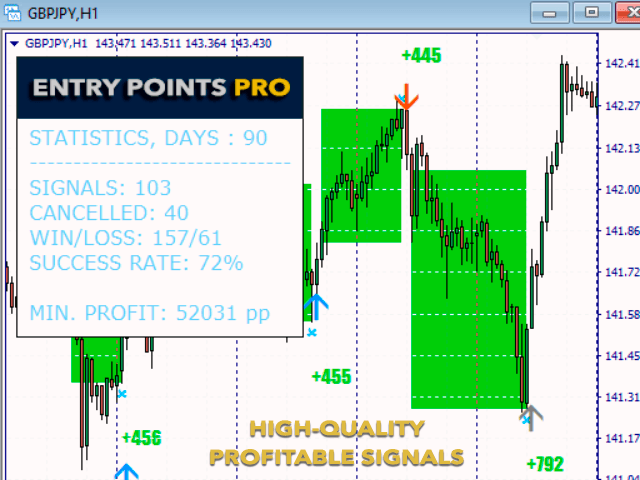
When the indicator detects a change in direction, it places an up or down arrow on the chart. Along with the arrow it calculates a stop loss and three take profit levels. A small dashboard on the chart shows a profit figure based on the signals in the loaded history, which you can use as a reference when comparing different settings.
This is one possible routine, not a requirement. Position size, spread and slippage will change how it works in practice.
The indicator reads the price history of the chart, so it can be attached to any symbol your broker provides in MT4, including currency pairs, metals, crypto CFDs, stocks and indices. It can be used on any timeframe. Shorter timeframes usually give more signals and are more affected by spread, while longer ones give fewer signals. Test the combination you intend to trade.
The exact list of inputs and their defaults can differ, so open the input window after attaching the indicator and read each option. The main ones are described below.
| Input | Purpose |
|---|---|
| Amplitude | Controls how sensitive the trend detection is, which affects how many signals appear |
| Take profit levels | Sets the distance of the three target levels from the entry |
| Stop loss level | Sets the protective stop distance |
| Alerts | Turns notifications on or off for new signals |
When adjusting Amplitude and the levels, change one value at a time and compare the dashboard figure across several periods rather than a single stretch of history. Over-fitting to past data is a common mistake.
The indicator provides signal buffers, so a developer can read them with iCustom and build an expert advisor on top. Check the buffer indexes in the data window and verify the behaviour in the strategy tester before running any automation.
Trading carries risk, and you can lose some or all of your capital. Past results, including the figure shown on the dashboard, do not predict future ones. Test on a demo account first and risk only what you can afford to lose.
| Product type | Indicator |
|---|---|
| Platform | MetaTrader 4 |
| Strategy focus | Signals, Trend |
| Delivery | Download from your account after purchase |
| License key | Not needed |
| Status | Launching soon |
| Category | Indicator |
| Style | Trend following with signal arrows |
| Markets | Forex, metals, crypto CFDs, stocks and indices, depending on your broker |
| Timeframes | Any; test on the one you plan to trade |
| Main inputs | Amplitude, take profit and stop loss levels, alert options |
| Automation | Signal buffers for iCustom; not a standalone expert advisor |
| Requirements | MT4 terminal with a live or demo account and chart history |
No reviews yet. Customers who own TrendLine PRO MT4 can review it here.
It is an indicator. It draws signals and levels on the chart, and you place the trades yourself. Its signal buffers can also be read by an expert advisor through iCustom, but the indicator does not open or close orders on its own.
No. This listing is for MetaTrader 4 only. Check that you have an MT4 terminal before buying, and look for a separate MT5 product if you need one.
It should load on any MT4 broker, because it works from the price history of the chart. Spreads, history quality and available symbols differ between brokers, so try it on a demo account with your own broker first.
The main inputs are the Amplitude value and the take profit and stop loss levels. Change one at a time, watch the profit figure on the chart dashboard, and confirm the result on other periods and on a demo account. A good figure on past data does not predict future results.
Yes, the indicator exposes signal buffers that an expert advisor can read with iCustom. You will need to check the buffer numbers in the indicator's data window or documentation and test the robot thoroughly before using real money.
The usual practice is to act only after the signal candle has closed. Even so, check on a demo account or in the strategy tester that arrows stay where they were first drawn on your symbol and timeframe.
TrendLine PRO MT4
Notify me at launchQuestions about this tool?
Ask us on Telegram Install guide for MT4 and MT5 Get a custom version builtFree, practical help with testing, sizing and running indicators.
More MT4 tools with a similar focus.







Own TrendLine PRO MT4? Sign in to review it.