

Available soon
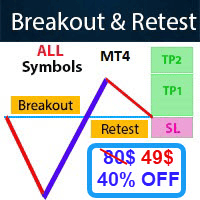
Breakout and Retest Scanner is an MT4 indicator that looks across symbols and timeframes for price breaking a support or resistance level and then retesting it. It shows suggested entry, stop-loss and take-profit levels and can alert you.


Priced in US dollars, paid in crypto. The download is in your account as soon as the payment is confirmed. All sales are final; if the tool doesn't work as described, we fix it.
Breakout and Retest Scanner is an indicator for MetaTrader 4 that searches for a classic price-action pattern: price pushes through a support or resistance level, comes back to test it from the other side, and then either holds or fails. Instead of making you flip through charts by hand, it checks many symbols and timeframes and reports what it finds on one chart.
A breakout on its own is often unreliable. Price can close beyond a level for one candle and then fall straight back inside it. The retest approach waits for a second look: after the break, price returns to the old level, and the trader watches whether that level now behaves the other way round. Old resistance may act as new support, and old support may act as new resistance.
The scan covers the symbols and timeframes you make available and lists possible patterns in a single chart window. You start it with the scan button on the chart. When a setup is detected it can raise an alert on screen and send a push notification to the MT4 mobile app, so you do not need to watch the terminal all day.
The tool is not tied to one instrument. It can be applied to forex pairs, metals, indices or any other symbol that appears in your Market Watch, provided your broker supplies enough price history. Several timeframes are checked in one pass. Higher timeframes tend to give fewer but slower setups, and lower ones give more frequent and noisier ones, so choose what fits your trading plan.
The default inputs are intended to be usable straight away. The exact list of inputs depends on the file you download, so open the input tab after attaching it and read each option before changing anything. Items worth checking include:
If you change an input, test it on a demo account first and note the effect before using it with real money.
Treat each result as a prompt for further analysis, not as an instruction. Look at the wider trend, nearby levels, upcoming news and spread. Size your position so that a stop-loss hit is an acceptable loss, and do not rely on one indicator alone.
Trading leveraged products carries a high level of risk and you can lose more than you expect. Past results, screenshots and back-tests do not predict future results. Suggested stop-loss and take-profit levels are not guarantees of any outcome. Test on a demo account first.
For push notifications, add your MetaQuotes ID in the terminal options and switch notifications on in the indicator inputs.
| Product type | Indicator |
|---|---|
| Platform | MetaTrader 4 (MT4) |
| Strategy focus | Signals, Trend, Support and resistance, Breakout |
| Delivery | Download from your account after purchase |
| License key | Not needed |
| Status | Available |
| Version | 2.28 |
| Last updated | 29 Oct 2026 |
| Download size | 150 KB |
| Category | Indicator (not an automated trading robot) |
| Strategy tags | Signals, trend, support and resistance, breakout |
| Markets | Any symbols available in your Market Watch |
| Timeframes | Multiple timeframes scanned from one chart |
| Trade style | Manual trading based on breakout and retest setups |
| Alerts | On-screen alert and MT4 mobile push notification |
| Requirements | MT4 terminal, symbol history loaded, push set-up if wanted |
Fixed to send email signal
No reviews yet. Customers who own Breakout and Retest Scanner MT4 can review it here.
No. It is an indicator. It highlights possible breakout and retest setups and suggests entry, stop-loss and take-profit levels, but you decide whether to place any trade and you place it yourself.
This listing is for MetaTrader 4 only. An MT4 indicator file cannot be loaded in MetaTrader 5, so check that your broker offers an MT4 account before buying.
It runs inside MT4, so it can be used with any broker that supports the platform. The scanner works with the symbols in your Market Watch, so make sure the ones you want are shown and that their chart history is downloaded.
The indicator is designed to be added to a chart and used with its default inputs. You can adjust inputs afterwards to suit your style, ideally after testing on a demo account.
Enter your MetaQuotes ID from the MT4 mobile app under Tools, Options, Notifications in the desktop terminal, then enable push notifications in the indicator inputs if the option is present.
Use the download area of your store account to get the latest file, then replace the old one in your MQL4 Indicators folder and restart the terminal. Check the product page for current update terms.
Breakout and Retest Scanner MT4
Buy nowQuestions about this tool?
Ask us on Telegram Install guide for MT4 and MT5 Get a custom version builtFree, practical help with testing, sizing and running indicators.
More MT4 tools with a similar focus.







Own Breakout and Retest Scanner MT4? Sign in to review it.