
Available soon
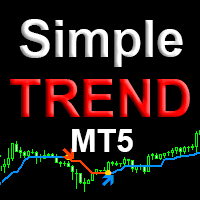
Simple Trend is an MT5 indicator that draws arrows on the chart when its filtered price-action reading changes direction. It offers adjustable filtering, a history limit, and pop-up, push and email alerts.
Get one message the moment it launches, with its price.
Simple Trend is a trend indicator for MetaTrader 5. It draws arrows on the price chart at the points where its filtered reading of price action switches from one direction to the other. It is meant to help traders find possible entry areas, whether they scalp on short timeframes or hold positions for longer.
The indicator analyses price action and passes it through a filtering routine to separate a genuine change of direction from ordinary candle noise. When the filtered direction flips, an arrow is placed on the chart to show which way the trend has turned. Because it is an indicator and not an automated trader, it never opens or closes orders. It gives you a visual reference, and you decide what to do with it.
The author states that the result is not redrawn. As with any signal tool, you should confirm this yourself on a demo account by comparing arrows on a candle that is still forming with the same candle once it has closed.
Simple Trend can be attached to any symbol and timeframe that your broker offers in MT5, including currency pairs and other instruments.
The inputs are grouped into filtering, display and alerts. Default values are not listed here, so check them in the inputs tab after you attach the indicator.
| Group | Input | Purpose |
|---|---|---|
| Filtering | Filtering bars | Sets the period used by the filter |
| Filtering | Filtering mode | Uses high/low or open/close prices of the candles |
| Display | Showing arrows | Turns the trend change arrows on or off |
| Display | History bars | Limits how many past bars are calculated and drawn |
| Alerts | Alert | Pop-up alert when the trend changes |
| Alerts | Push notification | Sends a message to the MT5 mobile app |
| Alerts | Sends a message to your mailbox |
A longer filtering period generally reacts more slowly and gives fewer arrows, while a shorter one reacts sooner and gives more. Switching between the high/low and open/close modes changes how the filter treats candle wicks. Compare both on the same chart before choosing.
Trading carries risk, and you can lose some or all of your capital. Past results of any indicator do not predict future ones. Arrows are not instructions to trade and will sometimes be wrong, especially in ranging markets.
For push or email alerts, also set up notifications and mail under Tools, Options in the terminal.
| Product type | Indicator |
|---|---|
| Platform | MetaTrader 5 |
| Strategy focus | Scalping, Signals, Trend |
| Delivery | Download from your account after purchase |
| License key | Not needed |
| Status | Launching soon |
| Category | Indicator (chart overlay, not an automated trader) |
| Output | Arrows showing trend change direction |
| Markets | Any symbol offered by your broker in MT5 |
| Timeframes | Any; commonly used from M1 up to daily charts |
| Trading styles | Scalping, intraday, swing and medium-term |
| Alerts | Pop-up with sound, push notification, email |
| Requirements | MT5 terminal; push and email alerts need terminal setup |
No reviews yet. Customers who own Simple Trend MT5 can review it here.
No. It is an indicator. It draws arrows and can send alerts, but it does not open, manage or close orders. You decide whether to act on a signal and how to size and protect the position.
This listing is for MetaTrader 5 and the file will not load in MT4. The author mentions a separate MT4 edition, so check the store for that product if you use MT4.
The author states that it does not redraw results. Even so, test it yourself on a demo account: note where arrows appear while a candle is still forming and compare them with the same candle after it closes.
There is no single correct setup. The main controls are the filtering period, the high/low or open/close filtering mode, the arrow display, and the number of history bars. Try different values on a demo chart for the symbol and timeframe you trade, and check how each change affects the number of signals.
Turn on the push notification or email options in the indicator inputs. Your MT5 terminal must also be configured for them: add your MetaQuotes ID for push messages and enter your mail server details for email, both under Tools, Options.
It runs inside the MT5 terminal and draws on the chart data your broker supplies, so it is not tied to a particular broker. Symbol names and available history differ between brokers, so confirm it loads correctly on your account.
Simple Trend MT5
Notify me at launchQuestions about this tool?
Ask us on Telegram Install guide for MT4 and MT5 Get a custom version builtFree, practical help with testing, sizing and running indicators.
More MT5 tools with a similar focus.








Own Simple Trend MT5? Sign in to review it.