
Available soon
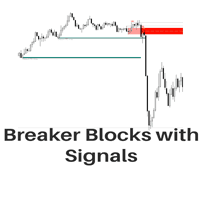
A MetaTrader 5 indicator that draws breaker blocks on the chart, marks breakout signals when price breaks through them, and adds premium and discount swing levels for planning targets and stops. Alerts are included for each signal.
Get one message the moment it launches, with its price.
Breaker Blocks with Signals is a MetaTrader 5 indicator that follows a structure-based approach to price action. It finds swing points, builds breaker blocks from them, marks the moment price breaks through a block, and adds premium and discount levels that you can use as reference points for targets and stops.
The indicator scans the chart for swings and uses them to define zones where price previously reacted. When price later moves through one of these zones and the zone changes role, it is treated as a breaker block. A signal is drawn when price breaks out of the block, and an alert can be raised at the same time.
Swing levels and labels can be shown on the chart together with premium and discount areas. A premium area sits in the upper part of a swing range and a discount area in the lower part. Many traders use these zones to judge whether an entry is stretched, and to pick places for take profit or stop loss. These are reference levels, not instructions.
An optional highlight shows when price breaks a previous swing level. This gives extra context on whether the market is continuing or changing direction.
The indicator reads only chart data, so it can be attached to forex pairs, metals, indices and other symbols that your broker offers in MT5. All timeframes are available. The swing length setting decides how large the detected structures are, so a short length suits lower timeframes and a longer one gives broader blocks on higher timeframes.
The exact default values can differ, so open the input window after loading the indicator and review each field.
| Setting | What it does |
|---|---|
| Length | Sets how sensitive swing detection is. Higher values give longer term breaker blocks. |
| Use only candle body | Measures block extremes from candle bodies instead of full ranges including wicks. |
| Use 2 candles instead of 1 | Requires two candles to confirm a breaker block. |
| Stop at first break of centre line | Suppresses further breakout signals after a block is invalidated until it resets. |
| Only when E is in premium/discount zone | Accepts a block only if the final swing point sits in the matching zone. |
| Show premium discount zone | Turns the premium and discount areas on or off. |
| Highlight swing break | Marks where price breaks an earlier swing level. |
| Show swings/PD arrays | Displays swing levels, labels and PD areas. |
Trading carries risk, and past results do not predict future ones. Signals from this indicator can fail, especially in fast or ranging markets. Test on a demo account, use your own risk limits and do not rely on a single tool for decisions.
If the chart looks empty, check that enough history has loaded and try a different swing length before changing other options.
| Product type | Indicator |
|---|---|
| Platform | MetaTrader 5 (indicator) |
| Strategy focus | Signals, Support and resistance, Breakout |
| Delivery | Download from your account after purchase |
| License key | Not needed |
| Status | Launching soon |
| Category | Indicator, chart overlay |
| Strategy tags | Signals, support and resistance, breakout |
| Markets | Any symbol offered by your broker |
| Timeframes | All MT5 timeframes; swing length sets the scale |
| Trade style | Discretionary, price action and structure based |
| Alerts | Signal alerts supported |
| Requirements | MT5 terminal with enough chart history loaded |
No reviews yet. Customers who own Breaker Blocks with Signals MT5 can review it here.
This listing is for MetaTrader 5 only. The indicator will not load in MetaTrader 4, so check that your broker account runs on MT5 before buying.
In MT5 choose File, then Open Data Folder, and copy the indicator file into MQL5/Indicators. Restart the terminal or refresh the Navigator panel, then drag the indicator from the Navigator onto a chart and confirm the settings.
Make sure the indicator is actually listed on the chart (Ctrl+I shows active indicators) and that the chart has enough history loaded. Then try a lower swing length value, because a very high one can produce few or no blocks on short histories. Also confirm that the display options for swings and premium or discount zones are switched on.
No. It is an indicator that draws zones, signals and levels on the chart. Any order placement, position sizing and exit decision stays with you.
The indicator can raise alerts for each signal it highlights. Set up the alert options in the terminal as you prefer, and test them on a demo account first to confirm they behave the way you expect.
It should work with any broker that offers MT5, since it only reads price data from the chart. Symbol names, spreads and available history differ between brokers, so check the results on your own feed.
Breaker Blocks with Signals MT5
Notify me at launchQuestions about this tool?
Ask us on Telegram Install guide for MT4 and MT5 Get a custom version builtFree, practical help with testing, sizing and running indicators.
More MT5 tools with a similar focus.







Own Breaker Blocks with Signals MT5? Sign in to review it.