
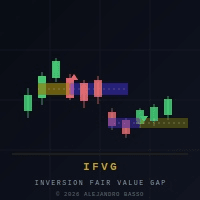
Available soon
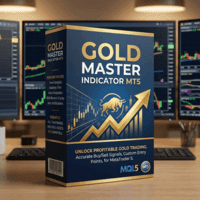
Gold Master Indicator is an MT5 indicator built for XAUUSD. It draws buy and sell arrows with a star rating and confidence score, shows a volume gauge, and puts the details in an on-chart panel.
Get one message the moment it launches, with its price.
Gold Master Indicator is a chart tool for MetaTrader 5 that focuses on one instrument: gold quoted as XAUUSD. It combines several technical checks into buy and sell arrows, scores each arrow, and shows the result in a panel on the chart, so you can judge a setup quickly before deciding what to do.
An arrow is drawn only when a set of conditions agree at the same time. According to the author, these draw on three moving averages, RSI, MACD, a stochastic oscillator, Bollinger Bands with a squeeze check, and a higher-timeframe confirmation. Each signal then receives a confidence score on a scale of 1 to 10, plus a star rating from one to five that appears on the arrow, in alerts and in the panel.
The score is built from a larger group of weighted factors. Examples include volatility measured by ATR, RSI divergence, candle patterns, on-balance volume, proximity to round price levels such as the 50 and 100 dollar marks, the session being traded, and how much of the average daily range has already been used. You can set a minimum score, and signals below it are hidden.
A separate buffer measures how active each bar is compared with its recent average. It tries to use real broker volume and falls back to tick volume when that is not supplied. The panel shows the reading as a multiplier and a coloured bar, which helps you see whether a move has participation behind it.
Filters can also hold back signals when the spread is wide relative to ATR or when major news hours are close. Whether each filter is switched on by default is something to confirm in the inputs.
The tool is meant for XAUUSD only. It can be attached to charts from M1 up to D1, but the profile you choose should match the timeframe. Broker symbol names and trading hours vary, so check that your account offers gold and that session times in the tool match your server time.
| Input group | What to check |
|---|---|
| Signal profile | Conservative, Balanced or Aggressive |
| Minimum confidence | Higher values give fewer, more selective arrows |
| Spread and news filters | Whether they are enabled and how strict they are |
| Alerts | Pop-up, sound or push notification options |
| Panel | Display position and which tabs are shown |
Default values are not listed here because they can differ between builds. Read the inputs tab after attaching the indicator.
Trading gold is risky and prices can move fast. A high star rating or confidence score is not a forecast, and past results do not predict future ones. Test on a demo account first and never risk money you cannot afford to lose.
Since it is an indicator, no automated trading permission is needed for the arrows to display. Keep stop-loss and position sizing rules of your own.
| Product type | Indicator |
|---|---|
| Platform | MetaTrader 5 (MT5) only |
| Strategy focus | Gold or XAUUSD, Signals, Support and resistance, Volume |
| Delivery | Download from your account after purchase |
| License key | Not needed |
| Status | Launching soon |
| Category | Indicator (signals, volume, support and resistance) |
| Main market | Gold, XAUUSD |
| Timeframes | M1 to D1, depending on the chosen signal profile |
| Trade style | Manual trading aid for scalping, intraday and swing |
| Output | Chart arrows, alerts, push notifications and info panel |
| Requirements | XAUUSD symbol on your broker; volume data is helpful |
| Automation | None; the indicator does not place trades |
No reviews yet. Customers who own Gold Master Indicator MT5 can review it here.
No. This product is built for MetaTrader 5. It will not load in MT4, which uses a different file format. Check that the platform you use is MT5 before buying.
It is tuned for XAUUSD, including its volatility ranges, sessions and round-number levels. Other symbols are not its purpose, and any results on them would need your own testing. Some brokers name gold differently, such as GOLD or XAUUSD with a suffix, so check the symbol name on your account.
No. It is an indicator, so it draws arrows, scores and panel information on the chart. You decide whether to trade, and you set your own entries, stop levels and position size.
The author describes the calculation as designed to avoid repainting. You should still confirm this yourself by watching it live on a demo chart and by comparing it with a fresh reload of the chart before relying on it.
Copy the indicator file into the Indicators folder of your MT5 data directory (File, Open Data Folder, MQL5, Indicators). Restart MT5 or refresh the Navigator, then drag it onto an XAUUSD chart. If you receive an archive, unpack it first and follow any notes included inside.
The exact input names and defaults depend on the build you download, so read the inputs tab when you attach it. A sensible start is the middle signal profile on a demo account, then adjusting the minimum confidence level and filters one at a time.
Gold Master Indicator MT5
Notify me at launchQuestions about this tool?
Ask us on Telegram Install guide for MT4 and MT5 Get a custom version builtFree, practical help with testing, sizing and running indicators.
More MT5 tools with a similar focus.
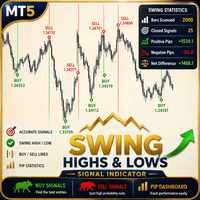




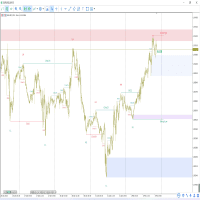
Own Gold Master Indicator MT5? Sign in to review it.