

Available soon
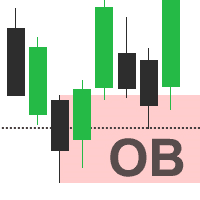
Order Block Detector is an MT5 indicator that marks bullish and bearish order blocks on the chart and can alert you when one appears or migrates. It is meant for traders who use smart money or ICT-style concepts.
Get one message the moment it launches, with its price.
Order Block Detector is an MT5 indicator that finds and draws order blocks on your chart. Order blocks are price zones where larger participants are thought to have placed orders, and many smart money and ICT-style traders use them as areas of interest for entries and exits.
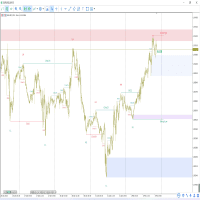
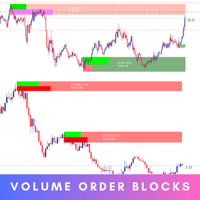
The indicator scans price action and volume to spot candles that may represent an order block. It then draws the zone on the chart and labels it as bullish or bearish. When price later returns to the zone, you can judge whether the area still holds, or whether it has been broken or has migrated to a new level.
Volume spread analysis is part of the logic, so the indicator looks at the relationship between candle range and volume rather than price shape alone. It is a decision aid, not a signal service, and it does not place trades.
The indicator can be attached to any symbol available in your MT5 terminal, such as forex pairs, cryptocurrencies and stocks. It displays order blocks on timeframes from M2 up to W1. Lower timeframes suit scalping, while H4, D1 and W1 zones are more often used for swing ideas. Higher timeframe zones can also be used as context for lower timeframe entries.
The indicator exposes inputs when you attach it to a chart. The exact names and defaults depend on the file you download, so open the Inputs tab and read each option before use. Typical things to check are listed below.
| Area | What to check |
|---|---|
| Colors and styles | Bullish and bearish zone colors, so they stay readable on your chart theme |
| Timeframe display | Whether higher timeframe order blocks are drawn on the current chart |
| Alerts | Pop-up, sound, push or email notifications, if offered |
| History | How many past order blocks remain visible |
Order blocks are interpretations of past price and volume. Zones can fail, and volume data from some brokers, especially for forex, is tick volume rather than real volume. Test the indicator on a demo account, compare it with your own analysis, and set stop-loss levels and position sizes that suit your account.
Trading carries risk, and past results do not predict future ones. This indicator does not remove that risk and should not be treated as a promise of any outcome.
| Product type | Indicator |
|---|---|
| Platform | MetaTrader 5 (MT5) |
| Strategy focus | Scalping, Support and resistance, Volume |
| Delivery | Download from your account after purchase |
| License key | Not needed |
| Status | Launching soon |
| Category | Indicator (not an automated trading robot) |
| Concept | Order blocks, smart money and ICT-style analysis |
| Markets | Forex, cryptocurrencies, stocks and other symbols on your broker's MT5 |
| Timeframes | M2 to W1 |
| Trade style | Scalping and swing trading, discretionary |
| Alerts | Order block detected, migrated, higher timeframe created or migrated |
| Requirements | MT5 desktop terminal with chart and indicator access |
No reviews yet. Customers who own Order Block Detector can review it here.
No. It is an indicator, so it draws order blocks on the chart and can send alerts. You decide whether to enter, where to place stops and how much to risk.
This listing is for MetaTrader 5. An MT5 indicator file cannot be loaded in MT4, so make sure your terminal is MT5 before you buy.
It can be attached to any symbol that appears in your MT5 Market Watch, including forex pairs, crypto and stocks. Symbol names, history depth and volume data differ between brokers, so test it on a demo account first.
Copy the indicator file into the Indicators folder through File, Open Data Folder, MQL5, Indicators in MT5. Restart the terminal or refresh the Navigator, then drag the indicator onto a chart.
The indicator has an input window where you can review its options when you attach it. Check the available inputs for colors, timeframes and alert methods, because the exact list depends on the build you download.
No tool can. Order blocks are a way of reading price and volume, not a prediction. Trading carries risk, and past results do not predict future ones.
Order Block Detector
Notify me at launchQuestions about this tool?
Ask us on Telegram Install guide for MT4 and MT5 Get a custom version builtFree, practical help with testing, sizing and running indicators.
More MT5 tools with a similar focus.





Own Order Block Detector? Sign in to review it.