
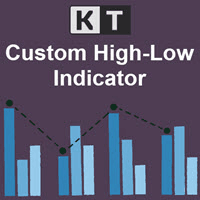

Available soon
A MetaTrader 5 indicator that collects recent highs and lows from several timeframes, draws them on one chart and merges levels that sit at the same price. It can also alert you when price touches a level.
Get one message the moment it launches, with its price.
KT Custom High Low is an MT5 indicator that gathers recent swing highs and lows from several timeframes and draws them together on the chart you are watching. It is meant for traders who work with support and resistance and want higher-timeframe levels visible without switching charts.
For each timeframe you select, the indicator looks back over a set number of bars, finds the highest high and lowest low, and projects those prices onto the active chart as horizontal levels. Every level carries a label with the timeframe it came from, so you can see at a glance whether a line comes from a short-term or a longer-term chart.
When two or more levels fall at the same price, the indicator merges them into one line rather than stacking labels on top of each other. This keeps busy charts easier to read.
The indicator can raise an alert when current price touches one of the displayed highs or lows. This is useful if you prefer to wait for price to reach an area before looking at the chart in detail.
It can be attached to any symbol available in your MT5 terminal, including forex pairs, metals, indices and others your broker offers. The chart timeframe is up to you, and the levels come from the timeframes you tick in the inputs. The terminal needs enough stored history for those timeframes, so scroll back or let the data download before judging the result.
The exact names and defaults can differ slightly between copies, so open the inputs tab and read each field before use.
| Setting | Purpose |
|---|---|
| HL period | Number of bars searched to find the high and low |
| Font size | Size of the text labels shown beside each level |
| Timeframe selection | Chooses which timeframes provide highs and lows |
| Colours and line width | Visual style of the levels |
| Alerts | Turns touch notifications on or off |
Trading carries risk, and past results do not predict future ones. Support and resistance levels can fail, and this indicator does not manage trades or protect your capital. Test it on a demo account first and size positions to a loss you can accept.
| Product type | Indicator |
|---|---|
| Platform | MetaTrader 5 (MT5) |
| Strategy focus | Support and resistance levels |
| Delivery | Download from your account after purchase |
| License key | Not needed |
| Status | Launching soon |
| Category | Indicator |
| Markets | Any symbol available in your MT5 terminal |
| Timeframes | Chart on any timeframe; levels drawn from timeframes you select |
| Trade style | Discretionary analysis aid; it does not place trades |
| Alerts | Alert when price touches a displayed high or low |
| Requirements | MT5 desktop terminal with history for the chosen timeframes |
No reviews yet. Customers who own KT Custom High Low MT5 can review it here.
No. It is a chart indicator that draws levels and can send alerts. Any trading decision, entry, exit and risk control is up to you or to whatever other tools you run.
No. This version is built for MetaTrader 5 only. An MT4 terminal cannot load it, so check which platform your broker account uses before buying.
You can attach it to any symbol in your MT5 Market Watch and to a chart of any timeframe. You choose which timeframes supply the highs and lows. Make sure the terminal has loaded enough history for those timeframes, otherwise levels may be missing or incomplete.
Open MT5, choose File and then Open Data Folder, and go to MQL5 and then Indicators. Copy the indicator file there, restart the terminal or refresh the Navigator, then drag the indicator onto a chart and review the inputs.
When highs or lows from different timeframes fall at the same price, the indicator merges them into one level so the chart stays readable. The label shows the timeframes involved.
Yes. The inputs let you adjust the lookback period, colours, line width and label font size, and choose which timeframes to include. Check the inputs tab after loading for the exact options in your copy.
KT Custom High Low MT5
Notify me at launchQuestions about this tool?
Ask us on Telegram Install guide for MT4 and MT5 Get a custom version builtFree, practical help with testing, sizing and running indicators.
More MT5 tools with a similar focus.




Own KT Custom High Low MT5? Sign in to review it.