

Available soon
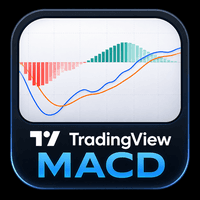
A MetaTrader 5 indicator that draws a MACD in the style familiar from TradingView, with a histogram, MACD line and signal line in a separate window. It helps you read momentum shifts and trend direction on any chart.
Get one message the moment it launches, with its price.
This indicator brings a TradingView-style MACD to MetaTrader 5. It plots a histogram, a MACD line and a signal line in a separate window under the price chart, so you can judge momentum and trend direction in a layout many chart users already know.
MACD stands for moving average convergence divergence. It compares a faster and a slower moving average of price and then smooths the difference with a signal line. The distance between the two lines is shown as a histogram. When the histogram grows, momentum in that direction is increasing; when it shrinks, momentum is fading.
The indicator does not open or close trades. It only draws information, which you can read in several common ways:
These readings are signals for your own analysis, not instructions. MACD is a lagging tool and can produce false crossovers in sideways markets.
The indicator reads the price series of the chart it is attached to. It can be loaded on forex pairs, metals, indices, crypto or stocks, depending on what your broker offers, and on any standard MT5 timeframe. Lower timeframes give more frequent but noisier crossovers; higher timeframes give fewer, slower ones. Many traders check a higher timeframe for direction and a lower one for timing.
MACD tools usually expose the fast period, slow period and signal period, plus colours for the histogram and lines. The exact list of inputs depends on the product, so open the Inputs and Colors tabs after attaching it and review each option before relying on it.
| Setting area | What it controls | What to check |
|---|---|---|
| Fast period | Responsiveness of the shorter average | Default value in the Inputs tab |
| Slow period | Smoothness of the longer average | Default value in the Inputs tab |
| Signal period | Smoothing of the signal line | Default value in the Inputs tab |
| Colours | Histogram and line appearance | Colors tab, to suit your chart theme |
Trading carries risk, and past results do not predict future ones. An indicator cannot remove that risk. Test any settings on a demo account first, use stop-loss levels and position sizes you are comfortable with, and do not trade money you cannot afford to lose.
If the indicator does not appear, confirm that you are using MetaTrader 5 and that the file sits in the Indicators folder rather than Experts or Scripts.
| Product type | Indicator |
|---|---|
| Platform | MetaTrader 5 |
| Strategy focus | Signals, Trend, Momentum |
| Delivery | Download from your account after purchase |
| License key | Not needed |
| Status | Launching soon |
| Category | Indicator (separate window) |
| Strategy tags | Signals, trend, momentum |
| Markets | Any symbol available at your broker |
| Timeframes | All standard MT5 timeframes |
| Trade style | Manual analysis; does not place orders |
| Requirements | MT5 desktop terminal with indicator support |
No reviews yet. Customers who own MACD trading view can review it here.
No. It is a chart indicator that only displays MACD information. Any entry, exit or position sizing decision stays with you, or with a separate tool you choose to combine it with.
This listing is for MetaTrader 5. An MT4 build is not covered by this page, so check that the product you download matches your platform before installing it. Files for the two platforms are not interchangeable.
It reads price data from the chart it is attached to, so it should work with any broker and symbol your MT5 terminal can chart. Results on a particular symbol depend on its price history and volatility, so test it on a demo account first.
MACD indicators normally let you adjust the fast, slow and signal periods and the display colours. Open the Inputs and Colors tabs after attaching the indicator to see exactly which options this one offers.
Copy the indicator file into the Indicators folder of your MT5 data directory (File, Open Data Folder, MQL5, Indicators), refresh the Navigator or restart the terminal, then drag it onto a chart.
No indicator can promise that. It presents momentum and trend information in a clear format. Trading carries risk, and past results do not predict future ones.
MACD trading view
Notify me at launchQuestions about this tool?
Ask us on Telegram Install guide for MT4 and MT5 Get a custom version builtFree, practical help with testing, sizing and running indicators.
More MT5 tools with a similar focus.








Own MACD trading view? Sign in to review it.