

Available soon
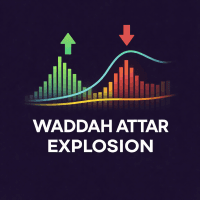
A momentum and volatility indicator for MetaTrader 5 that draws a colour histogram, an explosion line and a dead zone line in a separate window, with optional buy and sell arrows and alerts.
Get one message the moment it launches, with its price.
This indicator for MetaTrader 5 measures how fast price momentum is changing and compares it with current volatility. It then draws the result in its own window, so you can see at a glance whether the market is active enough to be worth attention or sitting in a quiet range.
The tool combines three ideas in a single sub-window display.
Momentum is taken from the gap between a fast and a slow exponential moving average, in the manner of a MACD. The change in that gap from one bar to the next is multiplied by a sensitivity input, which gives a measure of acceleration. The result is drawn as a colour histogram with four states: bullish momentum increasing, bullish momentum weakening, bearish momentum increasing and bearish momentum weakening.
The explosion line is based on standard deviation over a period you can configure. It rises when volatility expands and falls when the market calms down. When the histogram is taller than this line, trend strength is outpacing volatility.
A smoothed true range calculation sets a floor for market activity. While volatility stays under this level, the market is treated as low energy and signals are suppressed.
Buy and sell arrows are shown only when these conditions agree:
The indicator can be attached to any symbol in your MT5 terminal and to any timeframe. Lower timeframes produce more arrows and more noise, while higher ones give fewer, slower readings. Because volatility differs between forex pairs, metals, indices and other instruments, review the lines on a chart history of the market you follow before relying on the defaults.
The exact input names and default values are shown in the Inputs tab when you attach the indicator, so check them there. In general the inputs cover the following areas.
| Area | Purpose |
|---|---|
| Fast and slow averages | Define the momentum calculation |
| Sensitivity | Scales the momentum acceleration shown in the histogram |
| Volatility period | Sets the standard deviation length for the explosion line |
| Dead zone | Controls the activity floor used to filter signals |
| Alerts | Turns popup and push notifications on or off |
| Signal tester | Optional review of past signals with your own stop loss and take profit values |
An indicator shows what has already happened to price and volatility. Arrows can appear late, can fail, and can cluster during choppy conditions. Use position sizing and stop losses that suit your account, and test on a demo account first.
Trading carries risk, and you can lose some or all of your capital. Past results, including anything shown by the signal tester, do not predict future ones. This tool is for analysis and education, not financial advice.
| Product type | Indicator |
|---|---|
| Platform | MetaTrader 5 |
| Strategy focus | Signals, Trend, Momentum |
| Delivery | Download from your account after purchase |
| License key | Not needed |
| Status | Launching soon |
| Category | Indicator |
| Style | Momentum and volatility, signal arrows |
| Markets | Any symbol available in MT5 |
| Timeframes | All timeframes |
| Display | Separate indicator window |
| Alerts | Optional popup and push notifications |
| Expert Advisor use | Can be read by Expert Advisors |
No reviews yet. Customers who own Waddah Attar Explosion Indicator for MT5 can review it here.
No. This product is built for MetaTrader 5. An MT4 terminal cannot load it, so check that you are using MT5 before buying.
It can be attached to any symbol your MT5 broker offers and to any timeframe. Volatility behaves differently across instruments and chart periods, so test the settings on the market you intend to follow.
No. It only draws the histogram, lines and arrows and can send alerts. You decide whether to act on a signal. It is described as an analytical and educational tool.
Enable the push notification option in the indicator inputs. You also need to set up your MetaQuotes ID in the MT5 terminal options under Notifications, and allow notifications on your phone.
It is an optional statistical tool that reviews past signals using stop loss and take profit values that you enter. The output describes history only, and past results do not predict future ones.
The indicator is described as compatible with Expert Advisors, so its values can be read through standard indicator calls. Check the buffer layout in your own testing before building logic around it.
Waddah Attar Explosion Indicator for MT5
Notify me at launchQuestions about this tool?
Ask us on Telegram Install guide for MT4 and MT5 Get a custom version builtFree, practical help with testing, sizing and running indicators.
More MT5 tools with a similar focus.








Own Waddah Attar Explosion Indicator for MT5? Sign in to review it.