
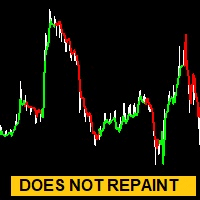

Available soon
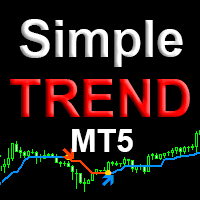
Your Trend Friend is a trend indicator for MetaTrader 5 that draws a line whose colour shows the current trend direction. A single Length input sets how fast it reacts, and alerts can be sent to the terminal or a phone.
Get one message the moment it launches, with its price.
Your Trend Friend is a trend indicator for MetaTrader 5. It draws a line on the price chart and changes its colour according to the direction of the trend, so you can see at a glance which side the market currently favours.
The indicator reads price history and plots a line that takes one colour when the trend is up and another when it is down. The reading is meant to be taken from closed candles: once a candle has finished, its colour shows the trend state for that bar. The candle that is still forming can change while it is open, so many traders wait for the close before drawing conclusions.
A single input, Length, controls how quickly the line reacts. A shorter value follows smaller, faster swings. A longer value focuses on larger trends and changes colour less often.
The indicator can be attached to any symbol and timeframe available in your MT5 terminal, including forex pairs, indices, metals and other instruments your broker offers. There is no single best Length. Test different values on the symbol and timeframe you trade, and compare what each setting shows on past price action.
The exact list of inputs and their defaults can differ, so open the Inputs tab after attaching the indicator and review each one. The main options are:
| Input | Purpose |
|---|---|
| Length | Sets how fast or slow the trend line reacts |
| Colours | Choose the colours used for up and down trends |
| Thickness and style | Adjust how the lines look on the chart |
| Pop-up alert | Shows an alert window in the terminal when the trend changes |
| Sound alarm | Plays a sound in the terminal on a trend change |
| Push notification | Sends a message to your phone through the MetaTrader mobile app |
A trend colour is a description of past price movement, not a forecast. Trend tools tend to lag at turning points and may flip colour repeatedly in sideways markets. Combine it with your own risk rules, such as position sizing and stop levels, and test on a demo account first.
Trading carries risk, and you can lose money. Past results do not predict future ones. This indicator does not remove that risk.
| Product type | Indicator |
|---|---|
| Platform | MetaTrader 5 |
| Strategy focus | Trend |
| Delivery | Download from your account after purchase |
| License key | Not needed |
| Status | Launching soon |
| Category | Indicator |
| Strategy type | Trend following |
| Markets | Any symbol offered by your broker |
| Timeframes | All MT5 timeframes |
| Main input | Length (sensitivity of the trend line) |
| Alerts | Pop-up, sound and mobile push notification |
| Trading | Does not open trades; display and alerts only |
No reviews yet. Customers who own Your Trend Friend can review it here.
No. It is a chart indicator. It colours a line and can send alerts, and you decide whether and how to act on what it shows.
No. This product is built for MetaTrader 5 only. Check that your broker account runs on MT5 before buying.
It can be attached to any symbol and timeframe in MT5. The best Length value differs between instruments and timeframes, so test several values on historical data and a demo account first.
Yes. The inputs let you switch on a pop-up alert in the terminal, a sound alarm, and push notifications to your phone. For push messages, the MetaQuotes ID must be entered in the terminal options and notifications must be allowed.
The colour is meant to be read once a candle has closed. The current, still forming candle can change while it is open, so check behaviour on a demo chart before relying on it.
Copy the indicator file into the Indicators folder through File, Open Data Folder, MQL5, Indicators, then restart MT5 or refresh the Navigator and drag it onto a chart.
Your Trend Friend
Notify me at launchQuestions about this tool?
Ask us on Telegram Install guide for MT4 and MT5 Get a custom version builtFree, practical help with testing, sizing and running indicators.
More MT5 tools with a similar focus.






Own Your Trend Friend? Sign in to review it.