

Available soon
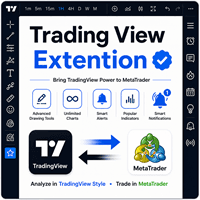
A MetaTrader 5 indicator that adds TradingView-style drawing tools, condition-based alerts, a watchlist and a set of familiar indicators to the chart, so you can analyse and place trades in one platform.
Get one message the moment it launches, with its price.
Trading View Extension is an indicator for MetaTrader 5 that brings a familiar set of drawing tools, alerts and ready-made indicators onto the trading chart. The idea is to do your charting and your order entry in a single platform instead of switching between two.
The toolkit is grouped by purpose, which makes it easy to find the tool you need while a chart is open.
| Group | Tools |
|---|---|
| Lines | Trend line, extended line, ray, horizontal line, horizontal ray, vertical line, angle line, parallel channel |
| Fibonacci | Retracement, trend-based extension, time zones |
| Patterns | XABCD, Cypher, head and shoulders, ABCD |
| Elliott wave | Impulse (1 to 5), corrective (ABC), triangle (ABCDE) |
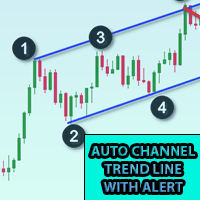
You pick a tool from the on-chart panel and place it with the mouse, much as you would on a web charting site. Lines and channels help mark trend direction and support and resistance zones, while Fibonacci tools mark possible retracement and projection levels. Pattern and wave tools are drawing aids: they help you label the structure you see, and the decision about whether a pattern is valid remains yours.
You can set up alerts that depend on conditions you define, across several symbols and timeframes. The indicator keeps track of those conditions and notifies you when the rules are met. A watchlist and an economic calendar view are also available inside the terminal.
The author says further TradingView-style indicators and a user guide are available after purchase by contacting them, so check what comes with your download.
Because it works on the chart itself, it can be used on any symbol your broker offers in MT5, including forex pairs, metals, indices and others, and on every timeframe from one minute upward. Trend and support and resistance work tends to be more meaningful on higher timeframes, but that is a matter of your own method.
Colours, line styles, alert conditions and the parameters of the bundled indicators are adjusted through the chart panel and the inputs window. Defaults and exact input names are not listed here, so open the properties on a demo chart and review each one before you rely on an alert.
A drawing tool does not make trading decisions for you. Patterns, Fibonacci levels and wave counts are open to interpretation and can fail.
Trading carries risk, and you can lose some or all of your capital. Past results do not predict future ones. Test any setup on a demo account first and size positions to what you can afford to lose.
| Product type | Indicator |
|---|---|
| Platform | MetaTrader 5 |
| Strategy focus | Trend, Support and resistance |
| Delivery | Download from your account after purchase |
| License key | Not needed |
| Status | Launching soon |
| Category | Indicator (drawing and analysis toolkit) |
| Strategy tags | Trend, support and resistance |
| Markets | Any symbol available at your broker |
| Timeframes | All MT5 timeframes |
| Trade style | Manual analysis tool, does not open trades by itself |
| Extras | Alerts, watchlist, economic calendar, additional indicators |
| Requirements | MT5 desktop terminal with indicators allowed |
No reviews yet. Customers who own Trading View Extension MT5 can review it here.
No. It is an analysis and drawing toolkit. You draw lines, Fibonacci levels and patterns, set alerts and read the extra indicators, then decide on any trade yourself.
This listing is for MetaTrader 5 only. Files built for MT5 cannot be loaded in MT4, so check that your terminal is MT5 before buying.
Any broker that offers MT5 should be able to run an indicator, since it works on the chart rather than on a special account. Symbol names and available history differ between brokers, so test it on a demo account first.
Copy the indicator into the Indicators folder of your MT5 data folder (File, Open Data Folder, MQL5, Indicators), restart or refresh the terminal, and drag it onto a chart. Allow any permissions it asks for, for example web requests if you use the news feature.
The description says a set of such indicators is built in, and that further ones and a user guide are provided after purchase on request to the author. Check the product page and your download for exactly what you receive.
Yes, the tools and indicators expose inputs in the usual MT5 properties window. Exact input names and defaults can differ, so review them on a demo chart before relying on any alert.
Trading View Extension MT5
Notify me at launchQuestions about this tool?
Ask us on Telegram Install guide for MT4 and MT5 Get a custom version builtFree, practical help with testing, sizing and running indicators.
More MT5 tools with a similar focus.





Own Trading View Extension MT5? Sign in to review it.